Table of Contents
Introduction: CRM Security Risks for Freelancers Are Often Overlook
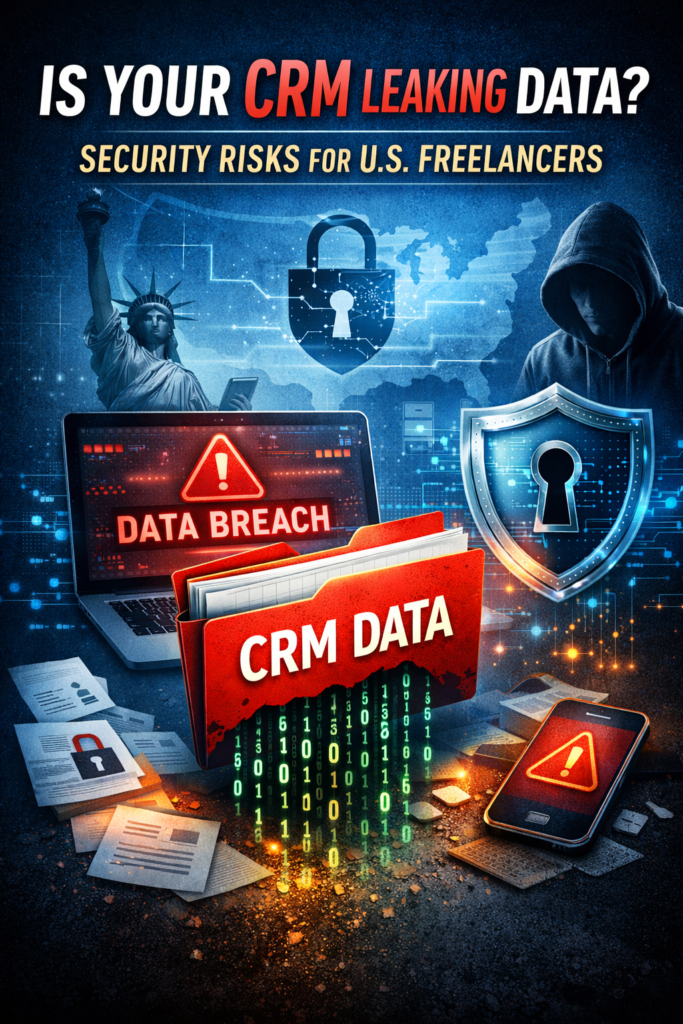
CRM security risks for freelancers are becoming a serious concern as more U.S. freelancers and small business owners rely on cloud-based Customer Relationship Management (CRM) tools to manage clients, contracts, invoices, and communications. Platforms like HubSpot, Salesforce, and Zoho CRM make it easy to store sensitive information such as client emails, phone numbers, project files, and payment details in one place.
However, convenience comes with risk. If your CRM is misconfigured, compromised, or accessed through insecure devices, it can expose confidential client data. For freelancers working remotely—especially those handling U.S. clients—data leaks can result in lost trust, legal liability, and financial damage.
According to the Federal Trade Commission, small businesses and independent contractors are increasingly targeted because they often lack dedicated IT security teams. Understanding the hidden security risks in CRM tools is essential to protecting your freelance business.
What Is a CRM and Why Freelancers Use It
A CRM system is software designed to help you manage client relationships, track communication, and organize business workflows. Freelancers use CRM platforms to:
- Store client contact information
- Track project communication
- Manage invoices and deals
- Automate follow-ups and reminders
- Store contracts and sensitive documents
Popular CRM platforms such as HubSpot offer free plans, which makes them especially attractive to freelancers and small businesses in the U.S.But these systems often contain your most sensitive business data—making them a prime target for cybercriminals.
Common CRM Security Risks for Freelancers
1. Weak Passwords and Account Takeovers
One of the most common CRM security risks for freelancers is weak password protection. Many freelancers reuse passwords across multiple platforms. If one account is compromised, attackers can gain access to your CRM and download your entire client database.
Cybercriminals frequently use credential-stuffing attacks, where stolen passwords from one breach are tested on other platforms. You can check whether your email has been exposed using services like Have I Been Pwned.
Once inside your CRM, attackers can:
- Steal client contact information
- Send phishing emails to your clients
- Access contracts and confidential files
This can permanently damage your professional reputation.
2. Third-Party App Integrations
Most CRM platforms allow integrations with tools like email marketing software, invoicing systems, and automation tools. While integrations improve productivity, they also increase security risks.
For example, connecting your CRM to unknown or poorly secured third-party apps may grant those apps access to sensitive client data.
The Cybersecurity and Infrastructure Security Agency recommends limiting integrations and reviewing app permissions regularly.Freelancers often forget to remove unused integrations, leaving hidden access points open.
3. Accessing CRM on Public or Unsecured Wi-Fi
Freelancers frequently work from coffee shops, airports, and shared workspaces. Accessing your CRM through unsecured public Wi-Fi can expose your login credentials to attackers.
Hackers can intercept network traffic using simple tools and capture:
- Login credentials
- Session cookies
- Sensitive client data
This is especially risky if your CRM session remains active.
4. Misconfigured Privacy and Sharing Settings
Many CRM platforms allow you to share data with team members, contractors, or clients. However, incorrect settings can expose information publicly or to unauthorized users.
For example:
- Shared links may remain accessible indefinitely
- Old contractors may still have access
- Permissions may allow full database downloads
Freelancers working with virtual assistants or subcontractors must review access controls regularly.
Misconfigured settings are one of the leading causes of cloud data exposure.
Phishing Attacks Targeting CRM Users
Phishing attacks often target CRM users because they manage valuable client data.Attackers may send fake emails pretending to be from CRM providers like Salesforce or HubSpot, asking you to:
- Reset your password
- Verify your account
- Click a malicious linkI
f you enter your login credentials on a fake page, attackers gain full access to your CRM.The Federal Bureau of Investigation reports that phishing remains one of the most common cyber threats to small businesses.
Real-World Impact of CRM Data Leaks
For freelancers, CRM data leaks can lead to serious consequences, including:
Loss of Client Trust
Clients expect freelancers to protect their personal and business data. A breach can destroy your credibility.
Financial Loss
If attackers access payment information or impersonate you, you may lose income or face disputes.
Legal and Compliance Issues
Freelancers working with U.S. clients may be subject to privacy laws such as state data protection regulations.
Identity Theft Risks for Clients
Client contact information can be used for phishing, fraud, or scams.Even a small data leak can have long-term effects on your freelance business.
Which Popular CRM Tools Do Freelancers Use—and Are They Safe?
Most major CRM providers invest heavily in security. Platforms like:
offer encryption, secure authentication, and compliance features.
However, security also depends on how freelancers use these tools.
Even the most secure CRM cannot protect your data if:
- You use weak passwords
- You ignore security alerts
- You connect risky third-party apps
Human error is often the weakest link.
How Freelancers Can Protect Their CRM Data
Enable Two-Factor Authentication (2FA)
Two-factor authentication adds an extra layer of protection. Even if your password is stolen, attackers cannot access your account without the second verification step.Most CRM platforms support this feature.
Use Strong and Unique Passwords
Avoid reusing passwords across multiple accounts.Use a password manager like Bitwarden or LastPass to generate and store secure passwords.
Review User Access Regularly
Remove access for:Old contractorsFormer clientsUnused integrationsOnly give access to people who absolutely need it.
Avoid Public Wi-Fi for CRM Access
If you must use public Wi-Fi, use a secure VPN to encrypt your connection.This protects your login credentials and sensitive data.
Monitor CRM Activity Logs
Most CRM platforms provide activity logs showing login attempts and user actions.Review these logs regularly to detect suspicious behavior early.
Why CRM Security Matters More for U.S. Freelancers
U.S. freelancers often work with clients in industries such as:
- Healthcare
- Finance
- Marketing
- Legal services
These industries handle highly sensitive information.If freelancers fail to protect client data, they risk losing contracts and facing liability.Clients increasingly prefer freelancers who demonstrate strong cybersecurity practices.Security is now a competitive advantage—not just a technical requirement.
Conclusion: CRM Security Risks for Freelancers Can Be Prevented
CRM security risks for freelancers are real, but they are preventable with the right precautions. While platforms like HubSpot, Salesforce, and Zoho CRM provide strong built-in protections, freelancers must take responsibility for securing their accounts.
By using strong passwords, enabling two-factor authentication, limiting integrations, and avoiding unsecured networks, freelancers can protect their client data and maintain professional trust.In today’s digital freelance economy,protecting your CRM is not optional—it’s essential for your reputation, your clients, and your business growth.
You may also like this blog:
How Session Hijacking Attacks Bypass MFA in U.S. Businesses
FAQs
1. What are the most common CRM security risks for freelancers?
The most common CRM security risks for freelancers include weak passwords, lack of two-factor authentication, phishing attacks, unsecured integrations, and misconfigured access permissions. These vulnerabilities can allow hackers to access sensitive client data such as emails, phone numbers, and billing details.
2. Can small business freelancers be targeted through CRM tools?
Yes. Cybercriminals often target freelancers and small businesses because they usually lack dedicated IT security teams. Exploiting CRM security risks for freelancers allows attackers to steal client databases, launch phishing campaigns, or sell sensitive information on the dark web.
3. How can freelancers protect their CRM from data breaches?
Freelancers can reduce CRM security risks by enabling two-factor authentication, using password managers, limiting user access permissions, keeping integrations secure, and regularly updating passwords. Monitoring login activity and removing unused integrations also improves security.