
Table of Contents
Introduction
If you run a freelance business or a small company, chances are you collaborate with clients every day. You exchange contracts, invoices, project files, passwords, and confidential business information. While collaboration makes work easier, it also creates security risks if you’re using the wrong apps.
Choosing secure collaboration tools isn’t just something large companies need to worry about anymore. Cybercriminals increasingly target freelancers and small businesses because they often lack dedicated IT staff and advanced security systems. A single compromised account can expose sensitive client data, damage your reputation, and even cost you future projects.
The good news is that you don’t need an expensive IT department to work securely. Today’s secure collaboration tools for freelancers, encrypted collaboration tools for small businesses, and secure team communication tools include built-in security features such as end-to-end encryption, multi-factor authentication (MFA), access controls, and secure file sharing.
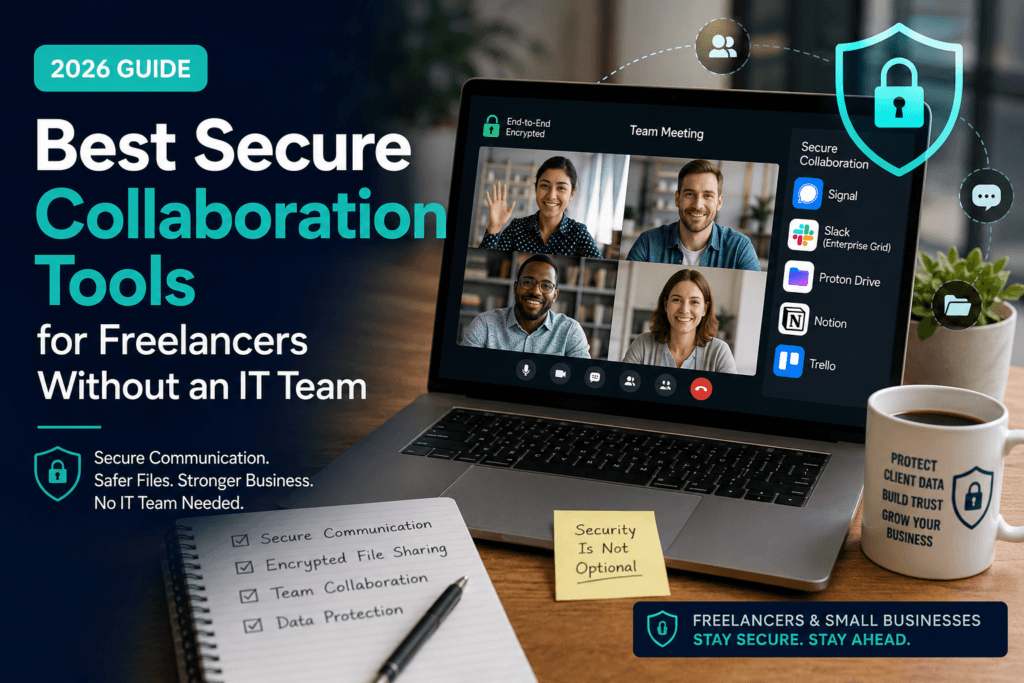
In this guide, you’ll discover the best secure collaboration tools in 2026 that help freelancers and small businesses collaborate confidently while protecting client information.
Why Secure Collaboration Matters
Freelancers often work with multiple clients, contractors, and remote teams. Every shared document, login credential, or project discussion creates another opportunity for data to be exposed if security isn’t a priority.
Using secure collaboration tools helps you:
- Protect confidential client information
- Reduce the risk of phishing and account takeovers
- Secure project files with encryption
- Control who can access sensitive documents
- Build trust with clients who expect professional security practices
Many U.S. businesses now ask freelancers how they protect client data before awarding contracts. Using trusted collaboration platforms can help demonstrate that you take cybersecurity seriously.
What to Look for in Secure Collaboration Tools
Not every productivity app offers strong security. Before choosing one, look for these essential features.
End-to-End Encryption
Encryption ensures your information stays private while being transferred or stored. Some collaboration tools even use end-to-end encryption, meaning only authorized users can read the data.
Multi-Factor Authentication (MFA)
MFA adds another verification step beyond your password. Even if someone steals your password, they still cannot access your account without the second verification factor.
Secure File Sharing
Choose platforms that let you control who can view, edit, or download files. Password-protected links and expiration dates provide additional protection.
Permission Management
The best secure collaboration tools for small businesses allow you to assign different permission levels so freelancers, contractors, and clients only access what they actually need.
Compliance and Privacy
If you work with clients in regulated industries, look for services that support standards like SOC 2, GDPR, or HIPAA where applicable.
Best Secure Collaboration Tools for Freelancers Without an IT Team
1. Signal – Best Secure Messaging Tool
When discussing confidential client information, regular messaging apps may not provide enough protection. Signal is widely recognized for its privacy-first approach.
Key Features
- End-to-end encrypted messaging
- Encrypted voice and video calls
- Disappearing messages
- Open-source security
- No advertising or data tracking
Best For
- Freelancers handling sensitive client communications
- Consultants
- Legal professionals
- Financial advisors
Pros
✔ Free to use
✔ Excellent privacy
✔ Easy setup
✔ Available on desktop and mobile
Cons
- Limited project management features
- Not designed for document collaboration
If your priority is secure communication, Signal remains one of the most trusted secure team communication tools available.
2. Proton Drive – Best Secure File Sharing
Sending confidential files through email attachments can create unnecessary risks. Proton Drive offers encrypted cloud storage built with privacy in mind.
Key Features
- End-to-end encrypted cloud storage
- Secure file sharing
- Password-protected sharing links
- Version history
- Cross-platform access
Best For
- Designers
- Freelance writers
- Consultants
- Agencies sharing confidential client documents
Pros
✔ Strong encryption
✔ Privacy-focused company
✔ Easy sharing controls
✔ Excellent free plan
Cons
- Less third-party integration than Google Drive
- Smaller storage on free accounts
For freelancers who regularly exchange contracts, proposals, and confidential files, Proton Drive is one of the safest encrypted collaboration tools for small businesses.
3. Trello – Best for Secure Project Management
Keeping projects organized also helps improve security. Trello lets freelancers manage tasks while controlling who has access to each workspace.
Key Features
- Project boards
- Role-based permissions
- Activity tracking
- Two-factor authentication
- Workspace management
Best For
- Marketing freelancers
- Virtual assistants
- Creative agencies
- Small business teams
Pros
✔ Beginner-friendly
✔ Excellent visual interface
✔ Large integration library
✔ Flexible automation
Cons
- Advanced security options require paid plans
- Not end-to-end encrypted
Trello is ideal if you need secure collaboration tools that combine productivity with access control.
4. Notion – Best All-in-One Workspace
Many freelancers manage notes, client documentation, SOPs, and knowledge bases in one place. Notion makes this possible while offering security features suitable for small teams.
Key Features
- Shared workspaces
- Document collaboration
- Permission controls
- Version history
- Two-factor authentication
Best For
- Freelancers managing multiple clients
- Remote agencies
- Startup teams
- Consultants
Pros
✔ Combines documentation and collaboration
✔ Powerful templates
✔ Flexible workspace organization
✔ Strong permission management
Cons
- Learning curve for new users
- Advanced compliance features are available on higher-tier plans
Notion works well for freelancers who want a central hub for projects, documentation, and client collaboration without needing a dedicated IT team.
5. Slack – Best for Team Communication
If your business relies on Slack or similar team chat platforms for daily communication, don’t miss our in-depth guide on Slack & Team Chat Security: How U.S. Businesses Get Breached Without Knowing, where you’ll learn about common security mistakes, hidden risks, phishing attacks, misconfigured permissions, third-party app vulnerabilities, and practical strategies to protect sensitive business conversations while using modern secure collaboration tools.
Key Features
- Organized team channels
- Direct messaging
- Voice and video calls
- File sharing
- Two-factor authentication
- Enterprise-grade security options
Best For
- Freelancers collaborating with remote teams
- Small businesses
- Marketing agencies
- Software development teams
Pros
✔ Easy collaboration across projects
✔ Extensive app integrations
✔ Searchable conversation history
✔ Supports guest access for clients
Cons
- Free plan has message history limitations
- End-to-end encryption is not available
For freelancers who need efficient communication while maintaining strong account security, Slack is a reliable choice.
6. Microsoft Teams – Best for Businesses Using Microsoft 365
If your clients already use Microsoft 365, Microsoft Teams is one of the easiest ways to collaborate securely. It combines messaging, video meetings, file sharing, and document collaboration in one platform while benefiting from Microsoft’s enterprise-grade security.
Key Features
- Secure chat and video meetings
- File sharing through OneDrive and SharePoint
- Multi-factor authentication (MFA)
- Role-based access controls
- Data loss prevention (available on higher plans)
Best For
- Small businesses
- Consultants
- Accounting firms
- Freelancers working with corporate clients
Pros
✔ Excellent Microsoft 365 integration
✔ Strong security features
✔ Reliable video conferencing
✔ Scales as your business grows
Cons
- Interface can feel overwhelming for beginners
- Many advanced features require paid plans
For freelancers who frequently work with corporate clients, Microsoft Teams is one of the most dependable secure collaboration tools available.
7. Google Workspace – Best for Everyday Collaboration
Google Workspace remains a favorite among freelancers because it makes document editing and collaboration simple. While it doesn’t offer end-to-end encryption for standard files, it provides strong account security, sharing permissions, and administrative controls.
Key Features
- Google Docs, Sheets, and Slides
- Google Drive file sharing
- Two-factor authentication
- Shared calendars
- Permission-based document access
Best For
- Writers
- Marketing freelancers
- Virtual assistants
- Small business owners
Pros
✔ Familiar interface
✔ Real-time collaboration
✔ Automatic cloud backups
✔ Easy client sharing
Cons
- Not end-to-end encrypted by default
- Privacy-conscious users may prefer encrypted alternatives
When paired with strong passwords and MFA, Google Workspace remains one of the most practical secure collaboration tools for freelancers handling day-to-day client work.
8. ClickUp – Best for Managing Client Projects
ClickUp combines project management, task tracking, documentation, and communication into one workspace. It helps freelancers organize client projects while controlling who can view or edit information.
Key Features
- Task management
- Shared documents
- Custom permissions
- Activity history
- Two-factor authentication
Best For
- Freelancers with multiple clients
- Small agencies
- Remote teams
- Project managers
Pros
✔ Highly customizable
✔ Excellent free plan
✔ Combines several tools into one
✔ Strong collaboration features
Cons
- Can feel complex for first-time users
- Advanced automation requires paid plans
If you want an all-in-one productivity platform, ClickUp is one of the best secure collaboration tools for small businesses in 2026.
Comparison of the Best Secure Collaboration Tools
| Tool | Best For | Encryption | Free Plan |
|---|---|---|---|
| Signal | Secure messaging | End-to-end | ✅ Yes |
| Proton Drive | Secure file sharing | End-to-end | ✅ Yes |
| Trello | Project management | Data encrypted in transit and at rest | ✅ Yes |
| Notion | Documentation | Data encrypted in transit and at rest | ✅ Yes |
| Slack | Team communication | Data encrypted in transit and at rest | ✅ Yes |
| Microsoft Teams | Business collaboration | Data encrypted in transit and at rest | ✅ Yes |
| Google Workspace | Document collaboration | Data encrypted in transit and at rest | Limited |
| ClickUp | Client project management | Data encrypted in transit and at rest | ✅ Yes |
Which Secure Collaboration Tool Should You Choose?
The best choice depends on how you work.
- Need private messaging? Choose Signal.
- Sharing confidential client files? Use Proton Drive.
- Managing projects? Trello or ClickUp are excellent options.
- Creating shared documentation? Notion is a strong choice.
- Working with remote teams? Slack or Microsoft Teams fit well.
- Editing documents with clients in real time? Google Workspace remains one of the easiest solutions.
Many freelancers use a combination of these secure collaboration tools instead of relying on a single platform. For example, you might use Signal for messaging, Proton Drive for file sharing, and ClickUp for project management to create a secure and efficient workflow.
Best Practices for Secure Collaboration
Even the most secure software cannot protect your business if basic cybersecurity practices are ignored. Follow these tips to keep client information safe:
- Enable multi-factor authentication on every collaboration account.
- Use a unique, strong password for each service.
- Review file-sharing permissions regularly.
- Remove access for former clients or contractors.
- Keep your collaboration apps updated.
- Avoid sharing sensitive files over unsecured public Wi-Fi without a trusted VPN.
- Train team members to recognize phishing attempts.
These simple habits significantly improve the security of your daily collaboration.No matter which secure collaboration tools you choose, following recognized cybersecurity best practices is equally important. The NIST Cybersecurity Framework provides practical recommendations for protecting business data, managing cyber risks, and improving your organization’s overall security posture.
Conclusion
Choosing the right secure collaboration tools is one of the smartest investments freelancers and small businesses can make in 2026. Whether you’re sharing sensitive documents, communicating with clients, or managing projects, secure platforms help reduce cyber risks while building trust with the people you work with.
You don’t need an IT department to protect your business. By combining trus.While using secure collaboration tools helps protect your daily workflows, it’s only one part of a complete cybersecurity strategy. For more practical tips on securing your devices, protecting client data, avoiding phishing scams, and building a strong security foundation, read our Cybersecurity Guide for Freelancers and Small Businesses.
Frequently Asked Questions
1. What are secure collaboration tools?
Secure collaboration tools are software platforms that help teams communicate, share files, and manage projects while protecting sensitive information through features such as encryption, multi-factor authentication, and access controls.
2. Which secure collaboration tool is best for freelancers?
The best option depends on your needs. Signal is excellent for secure messaging, Proton Drive is ideal for encrypted file sharing, and ClickUp or Trello work well for project management.
3. Are free secure collaboration tools safe?
Many free plans offer strong security features, including encryption and MFA. However, paid plans often include advanced security controls, compliance features, and larger storage limits.
4. Do small businesses need secure collaboration tools?
Yes. Small businesses are frequent targets of cyberattacks because they often have fewer security resources. Using secure collaboration tools helps protect client data and reduces the risk of unauthorized access.
5. Can secure collaboration tools replace cybersecurity software?
No. Collaboration tools are only one part of a strong security strategy. You should also use antivirus software, password managers, regular backups, software updates, and employee cybersecurity awareness to provide comprehensive protection.