
Table of Contents
A spear phishing attack can start with an email that looks completely normal.
Imagine you are a U.S. freelance designer and receive an email from a client asking you to review an updated contract. Or you run a small business and get what appears to be an urgent message from your accountant requesting a payment approval.
The sender knows your name. The message mentions a real project. It may even copy the writing style of someone you trust.
That is what makes spear phishing in cybersecurity different from ordinary phishing.
What Is Spear Phishing in Cyber security?
Spear phishing is a targeted phishing attack in which a cybercriminal uses personalized information to impersonate a trusted person or organization and trick a specific victim into taking an unsafe action.
That action could include:
- Clicking a malicious link
- Opening an infected attachment
- Entering login credentials on a fake website
- Sending money to a fraudulent bank account
- Sharing client or business information
Unlike broad phishing campaigns that send the same suspicious message to thousands of people, a spear phishing attack is personalized. The attacker may research the target through LinkedIn, social media, company websites, public documents, data breaches, or other publicly available information.
The attacker then uses that information to make the message appear legitimate.
According to NIST’s small-business phishing guidance, phishing messages may imitate trusted sources and use urgency to pressure victims into clicking links, downloading files, transferring money, or submitting sensitive information.
How Does a Spear Phishing Attack Work?
A spear phishing attack usually follows four steps:
1. Research
Attackers research their target using LinkedIn, social media, company websites, public documents, or other publicly available information. They may learn a person’s name, job role, clients, colleagues, or business relationships.
2. Impersonation
The attacker pretends to be a trusted person or organization, such as a client, manager, coworker, vendor, bank, or IT department.
3. Deception
They create a personalized message using specific details about the target. The email may create urgency and pressure the victim to act quickly without verifying the request.
4. Action
The victim is encouraged to click a malicious link, open an infected attachment, enter login credentials, share sensitive information, or send money. This can lead to credential theft, financial fraud, malware, or a data breach.
Spear Phishing Examples
Here are three common spear phishing examples that freelancers and small businesses in the United States should watch for.
Fake Client Payment Email
A freelance writer receives an email that appears to come from a regular client:
Subject: Updated payment details for August
The message explains that the client changed banks and asks the freelancer to update the payment details.
The email looks authentic, but the attacker changed a single letter in the sender’s domain name.
If the freelancer sends payment to the new account without verification, the money could be lost.
Fake Microsoft or Google Workspace Login Alert
A small-business owner receives an urgent message saying:
“Your account will be suspended today. Sign in now to prevent service interruption.”
The link opens a page that looks almost identical to the real login page. After entering credentials, the business owner unknowingly sends their password directly to the attacker.
Fake Vendor Invoice
An attacker learns that a company works with a particular vendor. They send an invoice containing a malicious attachment or payment link.
Because the vendor is real, the employee may trust the email without carefully checking the sender.
The FTC warns that small businesses are often targeted with messages impersonating familiar vendors, clients, and coworkers.
What Is the Difference Between Phishing and Spear Phishing?
The main difference is targeting.
| Phishing | Spear Phishing |
|---|---|
| Sent to a large number of people | Sent to a specific person or organization |
| Usually generic | Personalized using information about the target |
| Often easier to recognize | Can appear highly convincing |
| Uses broad social engineering | Uses targeted social engineering |
For example, a generic phishing email might say, “Your bank account has been locked.”
A spear phishing email could say, “Hi Alex, we noticed an issue with the Chase business account ending in 4321.”
The second message feels more trustworthy because it contains personal details. That does not mean the information is accurate.
How to Recognize a Spear Phishing Email
A personalized email is not automatically safe.For more practical warning signs, learn how to spot phishing emails, especially if you work with clients or manage a small business.” Look for these warning signs.
Unexpected urgency
Messages may claim that you must act immediately to avoid losing money, access, or an important client.
A suspicious sender address
The display name may look correct while the actual email address is slightly different.
For example:
clientcompany.com— legitimateclientcornpany.com— potentially fraudulent
Always inspect the full domain.
Unexpected login or payment requests
Be cautious when an email asks you to log in, change bank details, approve a wire transfer, or share sensitive information.
A strange attachment or link
Do not assume an attachment is safe because the sender appears to be a real client or coworker.
Instead, independently verify the request.
NIST recommends verifying urgent requests through known contact information rather than relying on the phone number or link provided in the suspicious message.
How to Prevent Spear Phishing Attacks
You cannot eliminate every phishing threat, but you can make spear phishing much less likely to succeed.
1. Verify important requests independently
If a client asks you to change payment details or a vendor requests a large payment, do not reply directly to the suspicious message.
Call the person using a phone number you already know or use another trusted communication channel.
This simple verification step can prevent expensive business email compromise scams.
2. Do not log in through unexpected email links
If an email claims that your Google, Microsoft, bank, or software account needs attention, open a new browser window and visit the official website yourself.
Do not use the login link included in the unexpected email.
3. Use strong, unique passwords and MFA
A unique password helps limit damage if one account is compromised. Multi-factor authentication (MFA) adds another barrier when an attacker obtains your password.
However, not every type of MFA provides the same level of phishing protection. NIST notes that phishing-resistant authentication can offer stronger protection for sensitive accounts.
4. Protect your business email domain
If you use a custom business email address, configure email authentication controls such as:
- SPF
- DKIM
- DMARC
These controls can help receiving email systems verify whether messages claiming to come from your domain are legitimate. The FTC recommends email authentication as part of small-business phishing protection.
5. Train employees and contractors
Small businesses do not need a large cybersecurity department to create better security habits.
Teach everyone who has access to business accounts or client data to:
- Report suspicious messages
- Verify unusual payment requests
- Avoid unexpected links and attachments
- Use MFA
- Stop and verify urgent requests
6. Keep software and devices updated
Security updates can fix vulnerabilities that attackers may exploit. Turn on automatic updates where practical and keep antivirus and security software current.
What Should You Do If You Click a Spear Phishing Link?
If you clicked a suspicious link or entered your password on a fake website, act quickly.
- Change the affected password immediately.
- Change the password on any other account where you reused it.
- Sign out of active sessions if the account allows it.
- Enable or review MFA settings.
- Run a security scan if you downloaded a file.
- Contact your bank immediately if financial information was involved.
- Tell affected clients, employees, or service providers when necessary.
- Report the phishing attempt.
The FTC provides additional small-business guidance on recognizing phishing and protecting your organization. FTC Cybersecurity for Small Business
Final Thoughts
Spear phishing is dangerous because attackers do not always look like strangers. They may impersonate your client, accountant, vendor, boss, or a software company you use every day.
For freelancers and small businesses, the best defense is to slow down before taking unexpected action.
Verify urgent requests, inspect the sender, avoid logging in through unexpected links, use strong authentication, and create a simple verification process for payments and sensitive information.
In cybersecurity, a few extra seconds of verification can protect your accounts, your money, and your clients.
FAQs
1. What is spear phishing in cybersecurity?
Spear phishing is a targeted cyberattack in which a criminal uses personalized messages to impersonate a trusted person or organization. The goal is usually to steal credentials, sensitive information, money, or access to business accounts.
What is the difference between phishing and spear phishing?
Regular phishing usually sends the same generic message to many people. Spear phishing is more targeted and personalized, using information about a specific individual, business, client, or organization to make the scam appear more convincing.
What is an example of spear phishing?
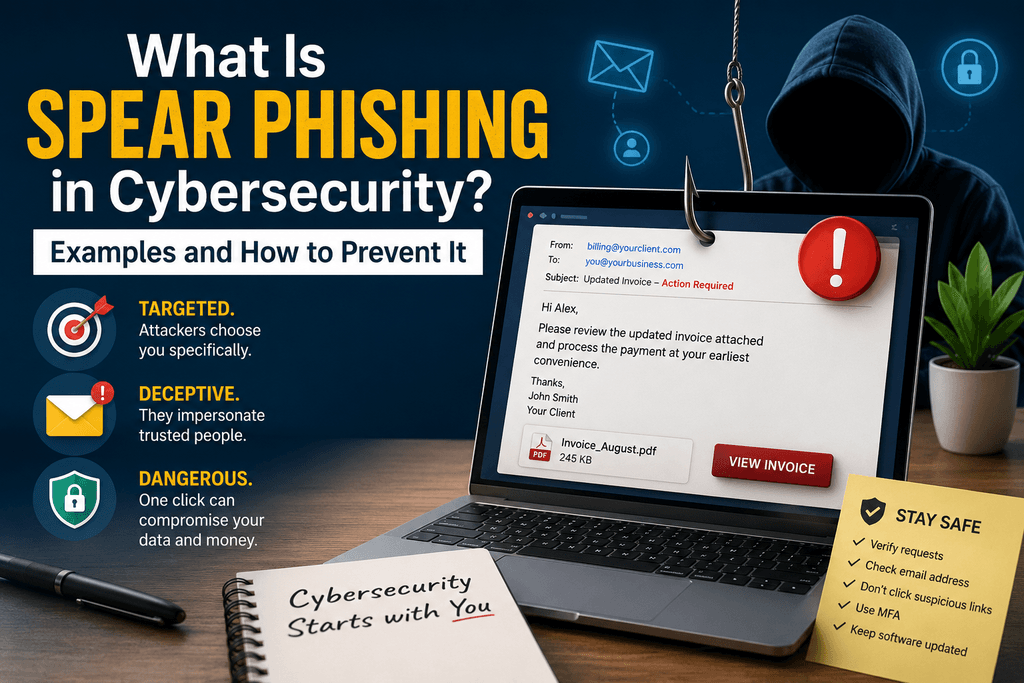
An example is a fake email that appears to come from your regular client and asks you to review an updated invoice or contract. The message may use your name and real client details, but the link or attachment is malicious.
What are the four common types of phishing?
Four common types of phishing are email phishing, spear phishing, whaling, and smishing. Email phishing targets many people, spear phishing targets specific individuals, whaling targets senior executives, and smishing uses fraudulent text messages.
How do you identify spear phishing
You can identify spear phishing by looking for unexpected requests, urgent language, suspicious sender addresses, unusual payment instructions, and personalized messages asking you to click a link, open an attachment, or share sensitive information. Always verify unusual requests through a trusted communication channel.