
Table of Contents
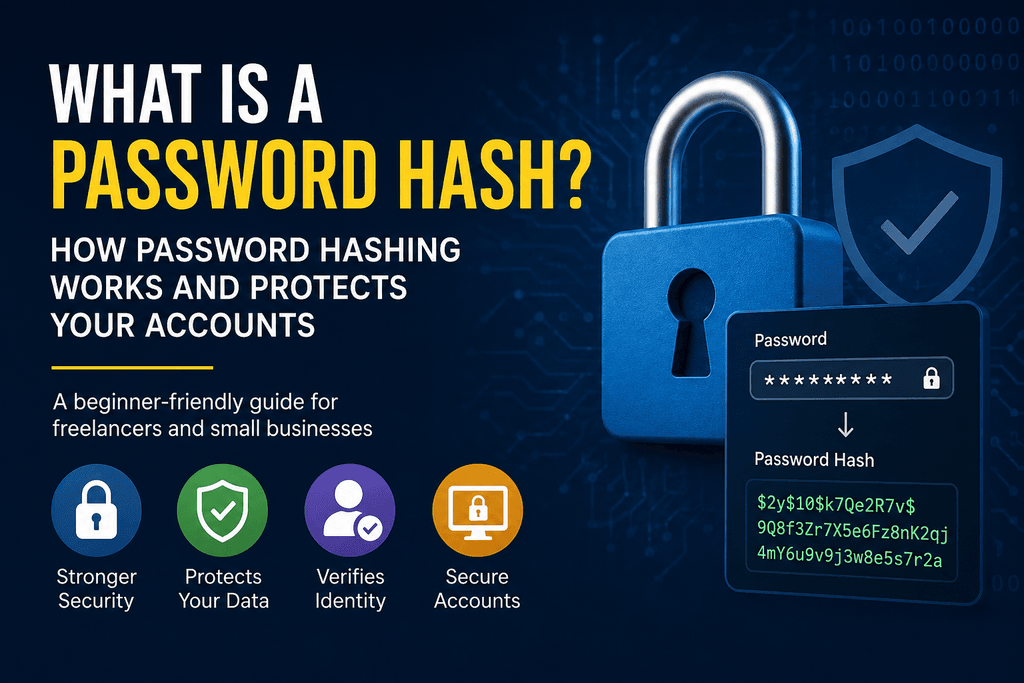
A password hash is a one-way representation of a password created by processing it through a password-hashing algorithm. Instead of storing your actual password in plain text, a secure website or business application stores a password hash or password verifier and uses it to verify your identity when you log in.
For freelancers and small-business owners, password security is just one part of protecting business accounts, client information, and online systems. If you manage your business online, following basic cybersecurity practices for freelancers and small businesses can help reduce the risk of account compromise and data breaches.
But what exactly is a password hash, how does password hashing work, and can hackers crack a stolen hash?
Let’s break it down in simple terms.
What Is a Password Hash?
A password hash is a seemingly random string generated from a password using a specialized password-hashing algorithm.
For example, imagine you create an account with:
Password: BlueTiger#92
A secure application should not simply save BlueTiger#92 in its database. Instead, it processes the password through a password-hashing system and stores the resulting password verifier.
When you log in later, the system processes the password you enter and checks whether it matches the stored verifier.
The important thing to understand is that a password hash is not an encrypted copy of your password. Password hashing is designed to be one-way, meaning the original password is not supposed to be recovered from the hash.
Password hashing in simple terms
Think of a password hash as a digital representation used for verification:
Your password → password-hashing algorithm + salt → stored password verifier
When you log in:
Password you enter → verification process → match or no match
If the verification succeeds, you get access to your account.
How Does Password Hashing Work?
Password hashing typically takes place when you create an account and when you authenticate later.
A simplified process looks like this:
- You create a password.
- The application generates a unique random salt.
- The password is processed using a password-hashing algorithm.
- The resulting password verifier and required parameters are stored.
- You enter your password when logging in.
- The application performs the verification process again.
- If the password matches the stored verifier, you are authenticated.
The system doesn’t need to keep your readable password in its database.
This is particularly important for businesses that store employee or customer accounts. If attackers gain unauthorized access to a database, properly protected passwords should not simply appear as readable text.
The U.S. National Institute of Standards and Technology (NIST) recommends password-verification systems that use appropriate salted password hashing and are designed to resist offline attacks.
What Is a Hashed Password Example?
Suppose a freelancer creates an account on a project-management platform with this password:
MyStrongPassword!2026
A properly designed application shouldn’t store that exact password as plain text.
Instead, a password-hashing algorithm produces a password verifier that appears as a random sequence of characters.
The exact output depends on factors such as:
- The password
- The hashing algorithm
- The unique salt
- The algorithm’s configuration or work factor
Two people can use the same password but have different stored password verifiers because their salts are different.
So when you see a long, unfamiliar string in a password database, it should not be assumed that it is simply an encrypted version of the user’s password.
What Is a Salt in Password Hashing?
A salt is a unique random value used with a password during the password-hashing process.
Salting is important because it helps prevent attackers from efficiently using precomputed password lists or rainbow tables against large numbers of accounts.
For example:
Password + Salt A → Password verifier A
Password + Salt B → Password verifier B
Even if two users choose the same password, their stored values can be different because each password has its own salt.
A secure password-storage system should therefore use a unique salt rather than one identical salt for every account.
For more technical guidance, see the OWASP Password Storage Cheat Sheet.
Why Do We Hash Passwords Instead of Encrypting Them?
Passwords are generally hashed rather than encrypted because an application needs to verify a password, not recover the original password.
Hashing and encryption are different.
Encryption is designed to be reversible when the correct encryption key is available.
Password hashing is designed to be one-way and resistant to password-guessing attacks.
Here’s the basic difference:
| Hashing | Encryption |
|---|---|
| Designed for one-way verification | Designed to be reversible |
| No decryption step | Requires a decryption key |
| Commonly used for password storage | Used for data that needs to be recovered |
| Uses password-hashing algorithms | Uses encryption algorithms |
For example, a business may encrypt a confidential client document because an authorized user needs to open it later.
A password, however, normally does not need to be recovered. The system only needs to determine whether the password entered during login is correct.
That’s why secure password hashing is generally preferred for password storage.
Can You Convert a Password Hash Back to a Password?
No, you generally cannot simply convert or decrypt a password hash back into the original password.
You may see searches such as “hash password to normal password” or “password hash decrypt,” but these phrases misunderstand how secure password hashing works.
A password hash isn’t an encrypted password waiting for someone to decrypt it.
However, this doesn’t mean password hashes are completely useless to attackers.
If criminals steal a database containing password hashes, they can attempt to guess the original passwords. They may test common passwords, dictionary words, previously leaked passwords, or combinations of characters and compare the results.
This is why secure password hashing and strong passwords must work together.
Can Password Hashes Be Cracked?
Yes. Attackers can attempt to crack password hashes by repeatedly guessing passwords, particularly when users choose weak or predictable passwords.
Some common techniques include:
- Brute-force attacks
- Dictionary attacks
- Password guessing
- Credential stuffing
- Using passwords exposed in previous data breaches
A strong password-hashing algorithm is designed to make each password guess more expensive for an attacker.
This is one reason modern password-storage systems don’t simply use fast general-purpose hashing functions.
What is a password hash leak?
A password hash leak occurs when password hashes or password-verification data are exposed, usually because attackers have gained unauthorized access to a company’s database or another system containing authentication information.
A hash leak does not necessarily mean every password is immediately exposed.
However, attackers may attempt to crack weak passwords offline. If users have reused those passwords on other websites, the consequences can extend beyond the breached service.
For freelancers and small businesses, this is especially important because a compromised email or password can potentially provide access to client files, invoices, business systems, and other sensitive information.
Is SHA-256 Good for Password Hashing?
SHA-256 is a secure general-purpose cryptographic hash function, but SHA-256 alone is not normally recommended for password storage.
The reason is that SHA-256 is designed to be fast.
That is useful for many cryptographic applications, but password storage has a different requirement: the system should make password-guessing attempts sufficiently expensive.
Password-specific algorithms are designed for this purpose.
Common password-hashing options include:
- Argon2id
- bcrypt
- scrypt
- PBKDF2
Argon2id is a modern option recommended by OWASP for many new password-storage implementations.
The takeaway for a small-business owner is simple: seeing “SHA-256” on a company’s security page does not automatically mean the company is using a modern password-storage method.
Which Password Hashing Algorithms Are Used Today?
Argon2id
Argon2id is a modern password-hashing algorithm designed to make password cracking more difficult by increasing computational and memory requirements.
It is a strong option for many new applications.
bcrypt
bcrypt is a widely used password-hashing algorithm that has been used in many web applications for years.
It includes a configurable work factor that increases the computational cost of password hashing.
scrypt
scrypt is designed to make password cracking more expensive by requiring significant computational and memory resources.
PBKDF2
PBKDF2 is another established password-based key-derivation function. It is particularly relevant in environments where compatibility or specific security standards are important.
The appropriate choice depends on the application’s architecture, requirements, and security standards.
How Password Hashing Protects Freelancers and Small Businesses
Password hashing may sound like something only developers need to understand, but it has practical implications for small-business security.
Consider the accounts your business uses every day:
- Business email
- WordPress administrator accounts
- Cloud storage
- Client portals
- Accounting and invoicing platforms
- Project-management software
- CRM systems
- E-commerce platforms
- SaaS applications
Many of these services contain sensitive business or client information.
If a service experiences a database breach, secure password storage can make it significantly harder for attackers to immediately obtain users’ original passwords.
But password hashing is not a replacement for good account security.
As a freelancer or small-business owner, you should also:
Use unique passwords
Never use the same password for your business email, WordPress account, cloud storage, and other services.
Use a password manager
A reputable password manager can generate and store strong, unique passwords so you don’t have to memorize them all.
Enable MFA
Multi-factor authentication can provide another layer of protection if your password is compromised.
Protect your email account
Your business email is particularly important because password-reset links for other services may be sent there.
Check for breaches
If a service announces a data breach, change affected passwords immediately—especially if the same password was reused elsewhere.
How Do I Find My Password Hash?
A normal user generally does not need to find their password hash.
Password hashes or password verifiers are normally stored internally by the application’s authentication system.
If you are a developer working on your own application, you may be able to inspect how password storage is implemented in a controlled development environment. You should never attempt to obtain another person’s password or password hash without authorization.
For ordinary users, the more useful question is whether the service you’re using follows secure password-storage practices.
How Do You Create a Password Hash?
Developers should not manually invent their own password-hashing system.
Instead, use a reputable security library and a password-specific algorithm such as Argon2id, bcrypt, scrypt, or PBKDF2 with appropriately configured parameters.
The implementation should also use a unique salt for each password.
If you’re developing software for a small business, consult established security guidance such as OWASP rather than creating a custom cryptographic solution.
Frequently Asked Questions About Password Hashes
What is a password hash in cybersecurity?
A password hash is a one-way representation of a password used to verify authentication without storing the user’s original password in plain text.
What is the purpose of hashing passwords?
The purpose is to protect stored passwords. If an attacker obtains a password database, properly hashed passwords are harder to use than passwords stored in plain text
What is a hashed password?
A hashed password is the result of processing a password through a password-hashing system. It is used for verification rather than being stored as the readable password.
Can hackers reverse a password hash?
They generally cannot simply reverse a secure password hash. Instead, attackers may guess possible passwords and compare the resulting values with stolen password verifiers.
Is hashing the same as encryption?
No. Hashing is designed for one-way operations such as password verification, while encryption is designed to protect data that may need to be decrypted later.
What is a password hash leak?
A password hash leak occurs when password hashes or related authentication data are exposed, often following a database breach. Attackers may then attempt to crack weak passwords.
Is SHA-256 safe for storing passwords?
SHA-256 is a strong general-purpose hash function, but it is too fast to be the preferred standalone method for password storage. Password-specific algorithms such as Argon2id, bcrypt, scrypt, or PBKDF2 are more appropriate.
What is the best password-hashing algorithm?
Argon2id is a strong modern choice for many new applications. bcrypt, scrypt, and PBKDF2 can also be appropriate depending on the application’s requirements.
Can I decrypt a hashed password?
No. A properly generated password hash is not designed to be decrypted into the original password. If you’ve forgotten your password, use the service’s official password-reset process instead.
Final Takeaway
So, what is a password hash?
A password hash is a one-way representation of a password that allows an application to verify your login without storing your actual password in readable form.
Secure password storage relies on more than simply “hashing” a password. Modern systems should use a password-specific algorithm, unique salts, and appropriate security parameters.
For freelancers and small businesses, the practical lesson is straightforward: use a unique password for every important account, store passwords in a reputable password manager, enable MFA, and choose online services that follow modern password-security practices.
Password hashing helps protect your credentials behind the scenes—but your everyday account-security habits are still your first line of defense.