
Table of Contents
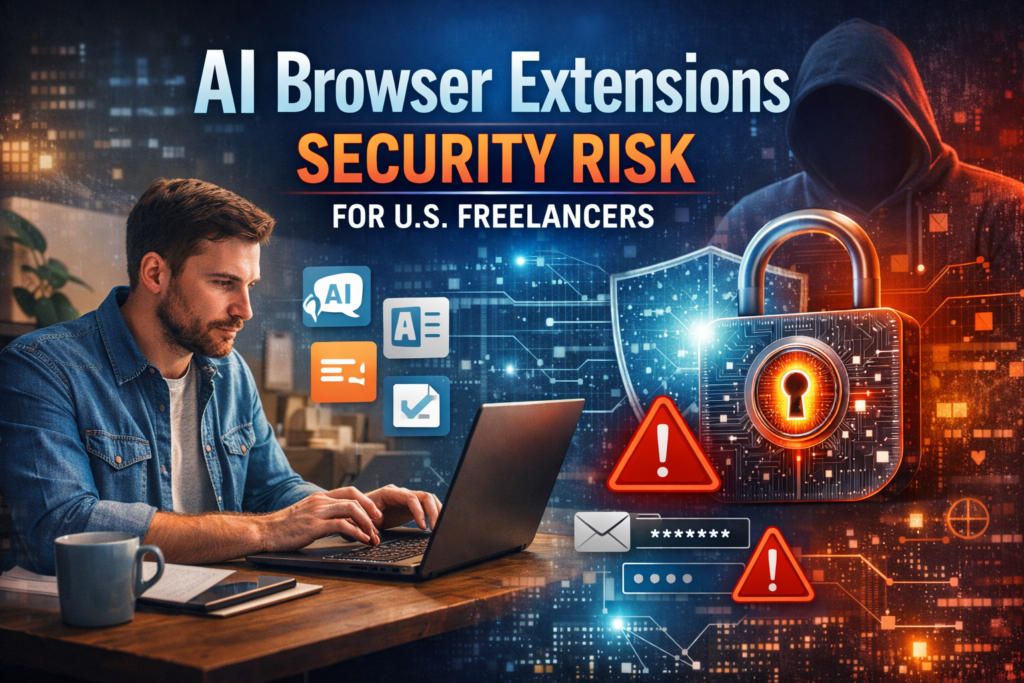
AI browser extensions security risk for U.S. freelancers is becoming a serious conversation in the freelance and small business world. AI-powered browser add-ons promise faster writing, smarter research, and automated workflows. For busy freelancers juggling multiple clients, these tools can feel like a lifesaver. But behind the convenience lies a growing concern: are AI browser extensions a security risk for U.S. freelancers?
If you handle client data, contracts, login credentials, or sensitive project files, the answer isn’t simple. In this article, we’ll break down how AI browser extensions work, where the risks come from, and how U.S. freelancers and small businesses can protect themselves without giving up productivity.
What Are AI Browser Extensions and Why Freelancers Use Them
AI browser extensions are small software add-ons that integrate artificial intelligence directly into your web browser. They can summarize emails, generate content, autofill forms, translate text, or analyze documents in real time.
For U.S. freelancers, these tools offer clear advantages:
- Faster content creation and editing
- Automated research and summarization
- Smart email drafting
- Workflow optimization across platforms
The appeal is obvious. When you’re managing multiple clients and deadlines, shaving even a few minutes off each task adds up. However, the AI browser extensions security risk for U.S. freelancers emerges because these tools often require deep access to your browsing activity.
Many extensions request permissions to:
- Read and change data on websites you visit
- Access clipboard content
- Store browsing history
- Interact with cloud-based AI servers
This level of access can unintentionally expose sensitive client information.
How AI Browser Extensions Create Security Risks
The main AI browser extensions security risk for U.S. freelancers comes from data exposure. When an extension processes your text or files, it may send that information to external servers for analysis.
Data Leakage and Client Confidentiality
Freelancers often handle confidential client materials: contracts, proprietary strategies, financial data, or personal information. If an AI extension uploads this content to third-party servers without strong encryption or clear privacy policies, it creates a potential leak.
Even reputable tools can pose risks if:
- Data is stored longer than expected
- Servers are compromised in a breach
- Privacy policies are vague or poorly enforced
For freelancers under non-disclosure agreements (NDAs), accidental data sharing could have legal consequences.
Malicious or Fake Extensions
Another major concern is fake or malicious AI extensions disguised as productivity tools. Cybercriminals sometimes publish extensions that mimic popular AI features but secretly harvest credentials or inject malware.
Because freelancers often install tools quickly to stay competitive, they may skip security checks. This increases the chance of installing a compromised extension.
Over-Permission and Account Takeover
Many AI extensions ask for broad permissions that exceed their actual needs. If such an extension is exploited, attackers could:
- Capture login credentials
- Access client dashboards
- Monitor communications
- Modify online content
For small businesses and solo freelancers, a single compromised account can disrupt operations and damage client trust.
Why U.S. Freelancers and Small Businesses Are Prime Targets
The AI browser extensions security risk for U.S. freelancers is amplified by the nature of freelance work. Independent professionals often lack dedicated IT teams or enterprise-level security infrastructure.
Small businesses and freelancers are attractive targets because:
- They manage valuable client data
- Security budgets are limited
- Software vetting processes are informal
- Devices are used across personal and professional tasks
Attackers know that a freelancer’s system can serve as a gateway into larger client networks. A compromised browser extension could become a stepping stone for broader cyberattacks.
According to guidance from the National Institute of Standards and Technology (NIST), small organizations should carefully evaluate third-party software and minimize unnecessary permissions to reduce attack surfaces. You can review their cybersecurity best practices here: https://www.nist.gov/cyberframework
How to Reduce AI Browser Extensions Security Risk
The good news is that U.S. freelancers don’t need to abandon AI tools entirely. Instead, they should adopt smarter security habits to minimize the AI browser extensions security risk for U.S. freelancers.
Install Only Trusted Extensions
Before installing any AI extension:
- Check developer reputation and reviews
- Verify the number of downloads
- Read the privacy policy carefully
- Confirm regular updates and support
Avoid installing extensions from unknown publishers or unofficial sources.
Limit Permissions
Review the permissions requested by each extension. If a tool asks for full browsing access without a clear reason, reconsider installing it. Many browsers allow you to restrict extension access to specific websites.
Separate Work and Personal Browsing
Consider using separate browser profiles or even dedicated browsers for client work. This reduces the chance that an extension will access unrelated personal data or sensitive business information.
Keep Software Updated
Regular updates patch known vulnerabilities. Enable automatic updates for your browser and extensions to ensure you’re protected against emerging threats.
Use Strong Authentication
Enable multi-factor authentication (MFA) on freelance platforms, email accounts, and client dashboards. Even if an extension is compromised, MFA adds an extra barrier against unauthorized access.
Balancing Productivity and Security
AI tools are reshaping how freelancers work, and ignoring them completely isn’t realistic. The key is balance. The AI browser extensions security risk for U.S. freelancers doesn’t mean AI is inherently unsafe — it means freelancers must use these tools responsibly.
Think of AI extensions as powerful assistants that require oversight. Just as you would vet a subcontractor before sharing client information, you should evaluate any extension that gains access to your browser.
By combining careful selection, permission management, and strong security practices, freelancers can enjoy AI-driven productivity without exposing themselves or their clients to unnecessary danger.
Conclusion: Are AI Browser Extensions a Security Risk for U.S. Freelancers?
So, are AI browser extensions a security risk for U.S. freelancers? The honest answer is yes — they can be, if used carelessly. The AI browser extensions security risk for U.S. freelancers stems from data exposure, over-permission, and malicious software. However, with informed decisions and proactive safeguards, these risks are manageable.
For U.S. freelancers and small businesses, cybersecurity is no longer optional. Every extension you install becomes part of your digital workspace and potentially your client’s trust chain. By choosing reputable AI tools, limiting access, and following best practices, you can harness the benefits of AI while protecting your professional reputation.
In today’s competitive freelance landscape, success depends not only on speed and efficiency but also on security. Managing the AI browser extensions security risk for U.S. freelancers is an essential step toward building a resilient, trustworthy business.
You may also like this blog:
OAuth Attacks Explained: Why U.S. Businesses Are Losing Accounts Without Password Leaks
FAQs
Are AI browser extensions a real security risk for U.S. freelancers?
Yes, AI browser extensions security risk for U.S. freelancers is real when extensions access sensitive client data, browsing activity, or login credentials. If freelancers install unverified extensions, they may unintentionally expose confidential information to third parties or cybercriminals.
Why should U.S. freelancers worry about AI browser extensions security risk?
U.S. freelancers often handle client contracts, financial data, and private communications. The AI browser extensions security risk for U.S. freelancers increases when extensions request excessive permissions or send data to external servers without strong privacy protections.
How can freelancers reduce AI browser extensions security risk?
Freelancers can lower AI browser extensions security risk for U.S. freelancers by installing only trusted extensions, limiting permissions, using multi-factor authentication, and separating work and personal browsing environments.
Do all AI browser extensions pose a security risk for U.S. freelancers?
Not all extensions are dangerous, but every tool carries some level of AI browser extensions security risk for U.S. freelancers if it is poorly designed or compromised. Choosing reputable developers and reviewing privacy policies helps reduce potential threats.
Are AI browser extensions safe for small freelance businesses?
AI tools can be safe when used responsibly. Small businesses must understand AI browser extensions security risk for U.S. freelancers and implement cybersecurity best practices, such as regular updates and secure account management.