
Table of Contents
If you’re wondering how to know if someone is using your WiFi without permission, you’re not alone. Many freelancers and small business owners rely on WiFi networks every day to communicate with clients, process payments, and manage sensitive business data. An unauthorized user on your network can slow down your internet connection, increase security risks, and potentially gain access to confidential information.
In this guide, you’ll learn how to know if someone is using your WiFi without permission, the warning signs to watch for, and practical steps to secure your network before it becomes a cybersecurity problem.
Why Unauthorized WiFi Access Is a Security Risk
For freelancers and small businesses, a secure internet connection is more than just a convenience—it’s essential for protecting client data and business operations.
When someone gains unauthorized access to your WiFi, they may:
- Consume your bandwidth and slow down your connection.
- Access shared files or connected devices.
- Attempt to intercept sensitive data.
- Use your network for illegal activities.
- Increase the risk of malware infections.
According to the Federal Communications Commission (FCC), securing your wireless network is one of the most important steps you can take to protect your online privacy and digital assets.
How to Know If Someone Is Using Your WiFi Without Permission
1. Your Internet Suddenly Becomes Slow
One of the most common signs of unauthorized WiFi usage is a noticeable drop in internet speed.
If:
- Video calls start lagging,
- File uploads take longer than usual,
- Websites load slowly,
and there is no known outage from your internet provider, an unknown device may be consuming your bandwidth.
While slow internet doesn’t always indicate unauthorized access, it is often the first clue.
2. Check Connected Devices on Your Router
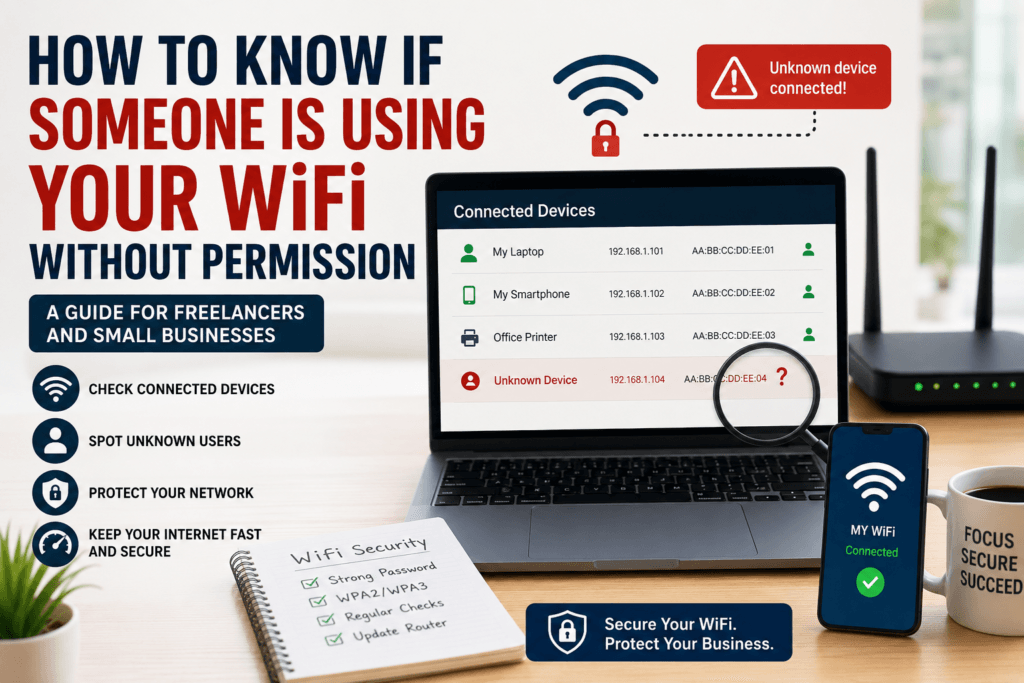
The easiest way to determine how to know if someone is using your WiFi without permission is by reviewing the list of connected devices.
Most modern routers allow you to:
- Log in to the router dashboard.
- View connected devices.
- Check device names and IP addresses.
Look for:
- Unknown smartphones
- Unrecognized laptops
- Devices with unfamiliar names
- Multiple devices connected at unusual times
If you see a device you cannot identify, it may be using your WiFi without permission.
3. Router Activity Lights Continue Flashing
Another useful method for understanding how to know if someone is using your WiFi without permission is observing your router’s activity lights.
Try this simple test:
- Disconnect all known devices from WiFi.
- Turn off smart TVs, tablets, and connected devices.
- Watch the router’s activity indicator.
If network activity continues despite everything being disconnected, an unknown device may still be connected.
4. Use a Network Monitoring Tool
Several tools can help identify devices connected to your network.
Popular options include:
- Fing
- Advanced IP Scanner
- Wireless Network Watcher
These tools provide information such as:
- Device name
- Manufacturer
- IP address
- MAC address
Network monitoring tools make it easier for freelancers and small businesses to identify suspicious devices and maintain network visibility.
5. Review Your Router Logs
Many business-grade and modern home routers keep activity logs.
Router logs can reveal:
- Connection attempts
- Device history
- Login activity
- Network traffic patterns
If you notice unfamiliar devices connecting regularly, it’s a strong indication that someone may be accessing your WiFi without authorization.
Common Ways Attackers Gain Access to WiFi Networks
Understanding how attackers gain access can help prevent future problems.
Weak Passwords
Using passwords like:
- password123
- admin123
- companyname2025
makes your network vulnerable to guessing attacks.
Shared Credentials
Many freelancers share WiFi passwords with clients, guests, or temporary workers. Over time, those credentials may be shared further without your knowledge.
Outdated Router Security
Older routers may use outdated security standards such as WEP, which can be cracked relatively easily.
The Cybersecurity and Infrastructure Security Agency (CISA) recommends using strong passwords, enabling modern encryption, and regularly updating network equipment.
What to Do If Someone Is Using Your WiFi Without Permission
Once you’ve confirmed unauthorized access, take immediate action.
Change Your WiFi Password
Create a strong password that includes:
- Uppercase letters
- Lowercase letters
- Numbers
- Special characters
Avoid using personal information or common words.
Enable WPA3 or WPA2 Encryption
Check your router settings and ensure that modern encryption is enabled.
Recommended:
- WPA3
- WPA2-AES
Avoid:
- WEP
- Open networks
Update Router Firmware
Router manufacturers frequently release security updates that fix vulnerabilities.
Visit the manufacturer’s website and install available updates.
Remove Unknown Devices
Most routers allow you to:
- Disconnect devices
- Block MAC addresses
- Restrict future access
Remove any device you do not recognize immediately.
Create a Guest Network
If clients or visitors need internet access, create a separate guest network.
This keeps business devices and sensitive information isolated from guest traffic.
Best WiFi Security Practices for Freelancers and Small Businesses
To avoid future incidents, follow these cybersecurity best practices:
Use a Strong Router Password
Don’t use the default administrator password provided by the manufacturer.
Disable Remote Administration
Unless absolutely necessary, disable remote router access.
Regularly Audit Connected Devices
Review connected devices at least once per month.
Use a VPN on Public Networks
When working remotely, use a trusted VPN service to protect your internet traffic.If you frequently work from coffee shops, airports, hotels, or coworking spaces, securing your connection becomes even more important. Public wireless networks can expose sensitive business information to cybercriminals if proper precautions are not taken. Learn more in our guide on How Freelancers Can Stay Safe on Public Wi-Fi, where we cover practical steps to protect your data while working remotely.
Replace Outdated Routers
Older hardware may no longer receive security updates and could expose your business to unnecessary risks.
Unauthorized WiFi access is just one of many cybersecurity risks facing freelancers and small businesses today. From phishing attacks and browser security threats to password protection and secure file sharing, maintaining strong cybersecurity practices is essential for protecting sensitive data and business operations. For a complete overview of the most important security strategies, explore our comprehensive Cybersecurity for Freelancers and Small Businesses guide.
Conclusion
Knowing how to know if someone is using your WiFi without permission is essential for protecting your business, client information, and online accounts. Warning signs such as slow internet, unknown devices, unusual router activity, and suspicious network logs should never be ignored.
For freelancers and small businesses, securing your WiFi network is one of the simplest yet most effective cybersecurity measures you can take. Regularly monitor connected devices, use strong passwords, enable modern encryption, and keep your router updated to reduce the risk of unauthorized access.
If you’ve been wondering how to know if someone is using your WiFi without permission, start by checking your router’s connected device list today. A few minutes of investigation could prevent a serious security issue tomorrow.
Frequently Asked Questions
1.How can I tell if someone is connected to my WiFi?
Log in to your router’s admin panel and review the list of connected devices. Unknown devices may indicate unauthorized access
2.Can someone use my WiFi without me knowing?
Yes. If your password is weak or has been shared, someone may connect without your knowledge and consume bandwidth or pose security risks.
3.What happens if someone uses my WiFi without permission?
Unauthorized users can slow down your internet, increase cybersecurity risks, and potentially access shared devices or sensitive information.
4.Should small businesses regularly check connected devices?
Yes. Small businesses should routinely review connected devices, update router firmware, and remove unauthorized connections to maintain network security.
5.What is the best way to secure a WiFi network?
Use a strong password, enable WPA3 encryption, update router firmware regularly, disable unnecessary features, and monitor connected devices frequently.