
Table of Contents
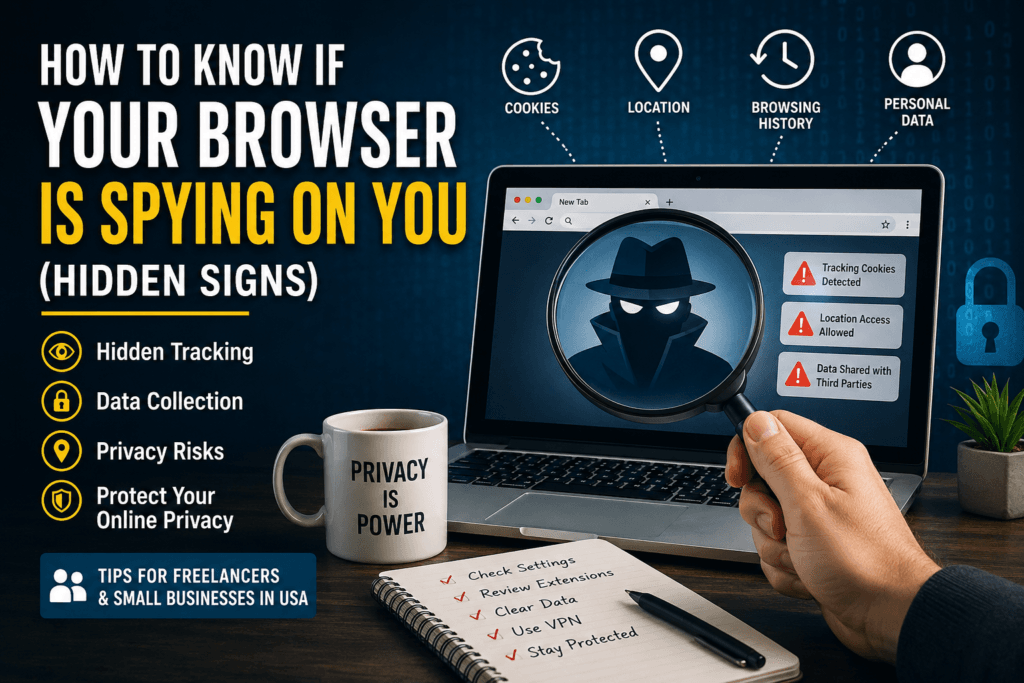
If you are wondering how to know if your browser is spying on you, you are not alone. Many freelancers and small business owners in the USA rely on web browsers every single day for banking, client communication, project management, and online shopping. However, most people never realize that some browsers quietly collect browsing habits, location data, search history, and even personal information in the background.
Knowing how to know if your browser is spying on you can help protect your business, client data, and online privacy before serious problems happen. In this guide, you will learn the hidden warning signs, why browser tracking matters, and the best ways to stop it.
Why Browser Privacy Matters for Freelancers and Small Businesses
Freelancers and small business owners face unique cybersecurity challenges because they often manage sensitive client information, financial accounts, and business communications online. Building strong cybersecurity habits goes beyond browser privacy and includes password security, phishing awareness, and secure file sharing. For a complete overview, check out our Freelancer Cybersecurity Guide
Freelancers and small businesses are prime targets for online tracking because they often work remotely and manage sensitive information through browsers. Your browser may store:
- Client passwords
- Payment information
- Business emails
- Banking logins
- Project files
- Personal browsing activity
When browsers collect excessive data, that information may be shared with advertisers, third-party trackers, or analytics companies. In some cases, cybercriminals can exploit weak browser security.
According to the Electronic Frontier Foundation (EFF), online tracking has become one of the biggest privacy concerns for internet users worldwide.
Hidden Signs Your Browser Might Be Spying on You
Understanding the hidden signs is the first step in learning how to know if your browser is spying on you.
1. You See Ads Related to Private Conversations
Have you ever talked about a product and suddenly started seeing ads for it online?
While browsers may not literally “listen” through microphones in every case, they collect enough browsing behavior, search history, and location data to predict your interests with surprising accuracy.
If personalized ads follow you everywhere online, your browser may be heavily tracking your activity.
2. Your Browser Requests Too Many Permissions
One important clue in how to know if your browser is spying on you is excessive permission requests.
Be cautious if your browser constantly asks for access to:
- Microphone
- Camera
- Location
- Notifications
- Clipboard
- Contacts
Many websites request permissions for legitimate reasons, but constant access requests can signal aggressive tracking.
3. Your Browser Feels Slower Than Normal
Tracking scripts and hidden analytics tools consume system resources. If your browser suddenly becomes slow, overheats your laptop, or drains battery quickly, hidden trackers may be running in the background.
This is especially common when using browsers filled with unnecessary extensions or data collection features.
4. You Stay Logged Into Everything Automatically
Convenience is useful, but permanent login sessions also allow browsers to collect more behavioral data.
If your browser automatically remembers every search, form entry, and login without asking, it may be storing excessive personal information.
Freelancers handling client accounts should regularly clear stored sessions and cookies.
5. Your Search Results Feel Manipulated
Another warning sign in how to know if your browser is spying on you is heavily personalized search results.
Some browsers track:
- What you click
- What you buy
- Which websites you visit
- How long you stay on pages
This data changes the content you see online, including search rankings, ads, and recommendations.
6. Too Many Browser Extensions Are Installed
Browser extensions are one of the biggest privacy risks today.
Some free extensions secretly:
- Track browsing habits
- Collect passwords
- Read emails
- Monitor clipboard activity
- Sell browsing data
Review all installed extensions regularly and remove anything unnecessary.
You can learn more about browser extension privacy risks from Mozilla Privacy Tips.
How Browsers Collect Your Data
To fully understand how to know if your browser is spying on you, you should know the common tracking methods used today.
Cookies
Cookies store browsing activity and preferences. Some are useful, but third-party cookies often track users across multiple websites.
Browser Fingerprinting
Browser Fingerprinting creates a unique identity based on:
- Device type
- Screen resolution
- Fonts
- Operating system
- Browser version
Even without cookies, websites can still identify you.
Search Tracking
Many browsers connect searches directly to user profiles for targeted advertising.
Sync Features
Browser sync tools store bookmarks, passwords, tabs, and history in cloud servers. If compromised, sensitive business information may leak.
Best Browsers for Privacy in 2026
If you suspect tracking, switching to best browsers for privacy may help how to know if your browser is spying on you
Brave Browser
Brave Browser blocks ads and trackers automatically while offering strong privacy features.
Mozilla Firefox
Mozilla Firefox includes enhanced tracking protection and customizable privacy controls.
DuckDuckGo Browser
DuckDuckGo Browser focuses heavily on search privacy and tracker blocking.
How to Stop Browser Tracking
Here are practical ways freelancers and small businesses can improve browser privacy.
Disable Third-Party Cookies
Most modern browsers allow you to block tracking cookies in settings.
Remove Unused Extensions
Delete extensions you no longer trust or use.
Use Privacy-Focused Search Engines
Switch to search engines like:
- DuckDuckGo
- Startpage
- Brave Search
Regularly Clear Browser Data
Clear:
- Cookies
- Cache
- Saved passwords
- Browsing history
at least once per month.
Use a VPN
A VPN hides your IP address and encrypts internet traffic, especially on public Wi-Fi.
Keep Your Browser Updated
Browser updates often patch security vulnerabilities and improve privacy protections.
Why This Matters for Small Businesses
For small businesses, browser spying on you is not just a privacy issue — it can become a financial risk.
Stolen browser sessions can lead to:
- Client data breaches
- Business email compromise
- Identity theft
- Payment fraud
- Reputation damage
Freelancers working with remote clients should take browser privacy seriously to maintain trust and protect sensitive projects.
Conclusion
Learning how to know if your browser is spying on you is becoming essential in 2026. Many browsers collect more information than users realize, especially freelancers and small businesses that spend hours online every day.
The good news is that you can reduce tracking by:
- Using privacy-focused browsers
- Removing suspicious extensions
- Blocking cookies
- Clearing browsing data regularly
- Using VPN protection
Small privacy improvements today can prevent serious cybersecurity problems tomorrow.
FAQs
1. How do I know if my browser is tracking me?
Common signs include personalized ads, excessive permission requests, browser slowdowns, and unusual tracking behavior across websites.
2. Which browser is safest for privacy?
Browsers like Brave and Firefox are considered safer for privacy because they include built-in tracker blocking features.
3. Can browser extensions spy on me?
Yes. Some malicious extensions collect browsing data, passwords, and personal information without users realizing it.
4. Is Chrome spying on users?
Google Chrome collects user data for personalization and advertising purposes. Users can adjust privacy settings, but some tracking still occurs.
5. Should freelancers use a VPN with browsers?
Yes. A VPN adds extra protection by hiding your IP address and encrypting internet traffic, especially when working remotely or using public Wi-Fi.