
Table of Contents
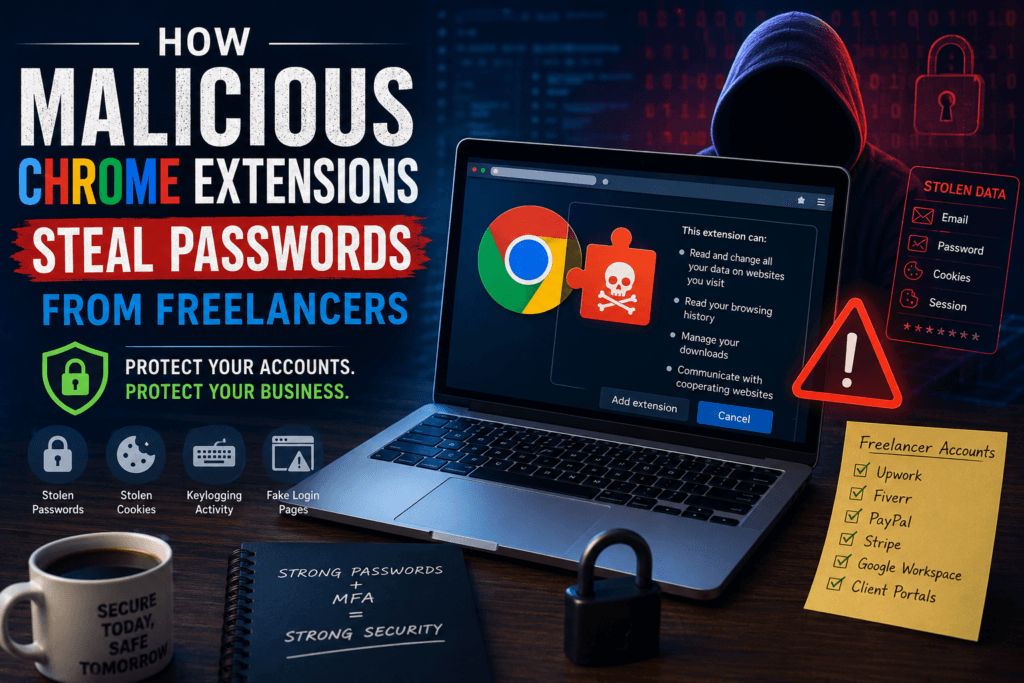
If you’ve ever installed a browser extension to save time, improve productivity, or automate repetitive tasks, you’re not alone. Millions of professionals rely on Chrome extensions every day. However, many people don’t realize how malicious Chrome extensions steal passwords from freelancers and gain access to sensitive business accounts.
Cybercriminals increasingly target freelancers and small businesses because they often manage multiple client accounts, payment platforms, and cloud services without dedicated IT support. A single malicious browser extension can expose passwords, financial information, and confidential client data.
Understanding how malicious Chrome extensions steal passwords from freelancers can help you avoid costly cybersecurity mistakes and protect your online business.
Why Freelancers Are Attractive Targets for Cybercriminals
Freelancers frequently use platforms and services that contain valuable information, including:
- Fiverr accounts
- Upwork profiles
- PayPal accounts
- Stripe dashboards
- Google Workspace
- Dropbox and cloud storage
- Client management portals
Hackers know that gaining access to one account can provide financial rewards or open doors to additional systems.
This is one reason why how malicious Chrome extensions steal passwords from freelancers has become an important cybersecurity topic in recent years.
What Are Malicious Chrome Extensions?
Chrome extensions are small software programs that add functionality to your browser. Many are useful and legitimate. Others are designed to collect data, track user activity, or steal credentials.
Malicious extensions often disguise themselves as:
- AI productivity tools
- PDF converters
- Grammar checkers
- Coupon finders
- Screen recording software
- Social media assistants
At first glance, they may appear completely harmless.
Unfortunately, some extensions request permissions that give them extensive access to your browsing activity.
How Malicious Chrome Extensions Can Steal Passwords
Understanding how malicious Chrome extensions steal passwords from freelancers starts with understanding browser permissions.
1. Monitoring Login Forms
Many dangerous extensions request permission to read and modify data on websites you visit.
Once granted access, they can monitor login pages and capture:
- Usernames
- Email addresses
- Passwords
- Payment information
When freelancers log into Fiverr, Upwork, PayPal, or client dashboards, those credentials can be silently collected.
2. Stealing Browser Session Cookies
Not all cybercriminals need your actual password.
Many malicious browser extensions steal session cookies that keep you logged into websites.
With a stolen session cookie, attackers may gain access to accounts without knowing your password.
This tactic is especially dangerous for:
- Freelance marketplaces
- Business email accounts
- Banking platforms
- Cloud storage services
3. Recording Keystrokes
Some malicious extensions function as hidden keyloggers.
They record every key you type, including:
- Passwords
- Credit card numbers
- Client information
- Private messages
The stolen information is then transmitted to servers controlled by attackers.
This is another common example of how malicious Chrome extensions steal passwords from freelancers.
4. Injecting Fake Login Screens
Cybercriminals sometimes use browser extensions to modify websites and display fake login forms.
The fake page may look identical to a legitimate Fiverr, Upwork, or Google login screen.
Victims enter their credentials without realizing they are sending information directly to attackers.
Warning Signs of Password-Stealing Browser Extensions
Recognizing suspicious behavior early can help prevent account compromise.
Watch for these warning signs:
Excessive Permission Requests
Be cautious if an extension requests access to all websites you visit.
Unwanted Advertisements
Unexpected ads and pop-ups may indicate malicious activity.
Browser Slowdowns
Malicious extensions often consume significant system resources.
Search Redirects
If your searches suddenly redirect to unfamiliar websites, investigate immediately.
New Permissions After Updates
A legitimate extension that suddenly requests broader access may have changed ownership or behavior.
Real Risks for Freelancers and Small Businesses
The consequences of password theft extend beyond losing access to one account.
If attackers gain access to freelance accounts, they may:
- Steal client information
- Send fraudulent messages
- Access payment records
- Redirect invoices
- Lock users out of accounts
For small businesses, a compromised browser extension can result in operational downtime and reputational damage.
This is why learning how malicious Chrome extensions steal passwords from freelancers is essential for online business security.
If you want to go deeper into real-world attack methods, you should also read our guide on Browser-Based Attacks Targeting Freelancers Using Chrome Extensions where we explain step-by-step how browser-based threats compromise Fiverr, Upwork, PayPal, and other freelancer accounts. This helps you understand the broader pattern behind browser-based attacks targeting freelancers using Chrome extensions and how to protect your business from them.
How to Protect Yourself From Malicious Chrome Extensions
Install Extensions Only When Necessary
Every extension increases your attack surface.
If you don’t need an extension, don’t install it.
Research Before Installing
Read reviews carefully and check the developer’s reputation.
Review Permissions
Avoid extensions requesting access that seems unrelated to their function.
Remove Unused Extensions
Audit your browser monthly and delete anything you no longer use.
Use a Password Manager
Password managers create unique passwords for every account, reducing the impact of a breach.
Enable Multi-Factor Authentication (MFA)
Even if attackers steal your password, MFA provides an additional layer of protection.
Trusted Resources for Browser Security
Google regularly publishes extension security guidance through its Chrome Web Store policies:
https://support.google.com/chrome_webstore/answer/2664769
For ongoing cybersecurity updates and browser threat research, freelancers can also follow:
https://www.malwarebytes.com/blog
These resources can help you stay informed about emerging browser-based threats.
What to Do If You Suspect a Malicious Extension
If you believe a browser extension has compromised your accounts:
- Remove the extension immediately.
- Change all affected passwords.
- Enable MFA on critical accounts.
- Log out of all active sessions.
- Scan your device for malware.
- Monitor business and financial accounts for suspicious activity.
Quick action can significantly reduce damage.
Want to Improve Your Overall Cybersecurity?
Malicious browser extensions are just one of many online threats freelancers face today. From phishing scams and password theft to insecure file sharing and AI-powered attacks, protecting client data requires a complete security strategy. For a comprehensive overview of essential security practices, read our Freelancer Cybersecurity Guide , where you’ll learn how to secure your devices, accounts, communications, and freelance business from modern cyber threats.
Final Thoughts
As browser-based attacks continue to evolve, understanding how malicious Chrome extensions steal passwords from freelancers is more important than ever. Freelancers and small businesses depend on online platforms to manage clients, payments, and daily operations.
By carefully reviewing permissions, limiting browser extensions, and enabling strong account security practices, you can dramatically reduce your risk of becoming a victim.
Protecting your browser today could save your business from a major security incident tomorrow.
Frequently Asked Questions
1.How do malicious Chrome extensions steal passwords from freelancers?
Malicious extensions can monitor login forms, record keystrokes, steal session cookies, and inject fake login pages to collect credentials.
2.Why are freelancers targeted by malicious Chrome extensions
Freelancers often manage valuable accounts such as Fiverr, Upwork, PayPal, and Google Workspace, making them attractive targets for cybercriminals.
3.Can Chrome extensions access my passwords
Some extensions can capture passwords as you enter them if they have sufficient permissions to read website data.
4.How can I identify a malicious browser extension?
Look for excessive permissions, browser slowdowns, suspicious redirects, and unexpected advertisements
5.What is the best way to protect freelance accounts?
Use strong unique passwords, enable multi-factor authentication, limit browser extensions, and regularly review installed add-ons.
6.Should small businesses create browser extension policies?
Yes. Restricting employees to approved extensions can significantly reduce cybersecurity risks.