Table of Contents
If you’re searching for the best router settings for home security 2026, you’re already taking an important step toward protecting your online life. Whether you’re a freelancer working from home or a small business owner managing client data, your router is the first line of defense against cyber threats.
Many people focus on antivirus software but overlook their router. Unfortunately, cybercriminals often target poorly configured routers because they provide access to every connected device, from laptops and smartphones to smart TVs and security cameras.
In this guide, you’ll learn the best router settings for home security 2026, why they matter, and how to configure them to keep your home or small business network secure.
Build a Strong Cybersecurity Foundation
Securing your router is only one part of protecting your digital life. Freelancers and small business owners should also defend against phishing attacks, secure passwords, protect business devices, and recognize common online scams. These security habits work together to reduce the risk of cyberattacks and data breaches.For a complete roadmap, explore our Cybersecurity for Freelancers and Small Businesses guide, where you’ll find practical tips, security tools, and best practices to strengthen your overall cybersecurity posture.
Why the Best Router Settings for Home Security 2026 Matter
Every device connected to your Wi-Fi relies on your router for internet access. If your router is compromised, attackers may be able to:
- Monitor your internet activity
- Redirect you to fake websites
- Steal login credentials
- Infect devices with malware
- Access sensitive business information
For freelancers and small businesses, a hacked router could expose client files, financial information, and confidential communications.
1. Change the Default Router Password
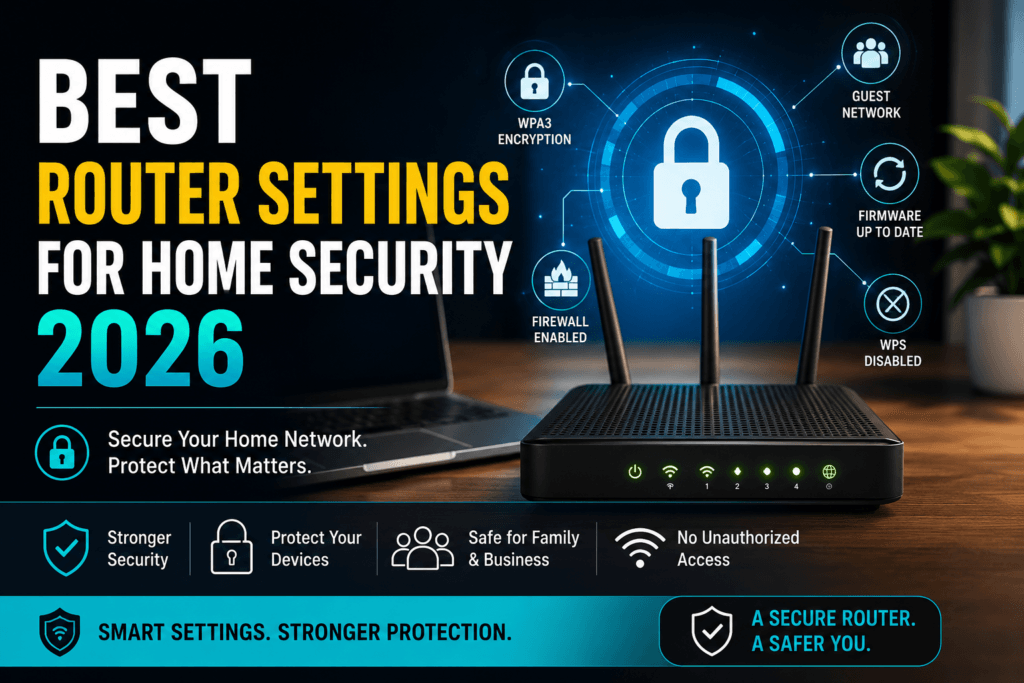
One of the most important best router settings for home security 2026 is replacing the factory default administrator password.
Many routers still use simple credentials like:
- admin/admin
- admin/password
Create a unique password with at least 16 characters using a combination of uppercase letters, lowercase letters, numbers, and symbols.
Never reuse passwords from other accounts.
2. Enable WPA3 Encryption
If your router supports WPA3, enable it immediately.
WPA3 provides stronger wireless encryption than older standards like WPA2 and makes it much harder for attackers to intercept your Wi-Fi traffic.
If WPA3 isn’t available, choose WPA2-AES rather than older security options such as WEP.
3. Update Router Firmware Regularly
Router manufacturers regularly release firmware updates that fix security vulnerabilities.
Check for updates every month or enable automatic updates if your router supports them.
Keeping firmware current is one of the easiest ways to prevent hackers from exploiting known weaknesses.
4. Disable Remote Administration
Many routers allow remote management over the internet.
Unless you specifically need this feature, disable it.
Turning off remote administration significantly reduces your router’s exposure to outside attacks.
5. Change the Default Network Name (SSID)
Avoid using Wi-Fi names that reveal:
- Your family name
- Your address
- Your internet provider
- Router model
Instead, choose a neutral network name that doesn’t provide attackers with useful information.
6. Turn Off WPS
Wi-Fi Protected Setup (WPS) makes connecting devices easier but has known security weaknesses.
Disabling WPS prevents attackers from attempting PIN-based attacks against your network.
7. Create a Guest Wi-Fi Network
If visitors need internet access, don’t give them your primary Wi-Fi password.
Instead, create a separate guest network.
This protects your work devices, printers, file servers, and smart home equipment from unnecessary exposure.
Freelancers who meet clients at home can especially benefit from keeping business devices isolated.
8. Enable Your Router’s Firewall
Most modern routers include a built-in firewall.
Verify that it’s enabled.
A firewall helps block unauthorized incoming traffic before it reaches your connected devices.
9. Disable Features You Don’t Use
Many routers include services such as:
- UPnP
- FTP
- Telnet
If you don’t use them, disable them.
Reducing unnecessary services decreases your attack surface.
10. Monitor Connected Devices
Review your connected devices every few weeks.
If you notice an unfamiliar phone, laptop, or smart device, investigate immediately.
You may also enjoy reading How to Know If Someone Is Using Your WiFi Without Permission: A Guide for Freelancers and Small Businesses for practical tips on identifying unauthorized users.
11. Check for Unauthorized Wi-Fi Users
Even with the best router settings for home security 2026, it’s important to regularly review the devices connected to your network. Unauthorized users can slow down your internet, access shared files, or expose your business to additional security risks. If you notice unfamiliar devices, investigate immediately and update your Wi-Fi password if necessary.Learn how to identify suspicious connections in our guide, How to Know If Someone Is Using Your WiFi Without Permission: A Guide for Freelancers and Small Businesses.
12. Restart Your Router Occasionally
Restarting your router can clear temporary issues and ensure updates are properly applied.
Many modern routers allow scheduled automatic reboots.
While restarting isn’t a substitute for security updates, it contributes to better performance and reliability.
Extra Security Tips for Freelancers
Freelancers often handle sensitive client information from home.
In addition to the best router settings for home security 2026, consider these practices:
- Use a reputable VPN on public Wi-Fi.
- Enable multi-factor authentication on business accounts.
- Keep operating systems updated.
- Use a password manager.
- Back up important files regularly.
These habits help reduce the risk of cyberattacks and data loss.
How Small Businesses Can Strengthen Network Security
Small businesses often rely on a single internet connection for employees and devices.
To improve security:
- Separate employee and guest Wi-Fi.
- Use strong administrator passwords.
- Limit router access to trusted personnel.
- Regularly review security logs.
- Replace outdated routers that no longer receive firmware updates.
A secure network protects both your business operations and your customers’ trust.
Learn More About Router Security
If you’re concerned your router may already be compromised, read our guide on Router Hacking Signs and How to Fix: Protect Your Business Network Before It’s Too Late.
For broader cybersecurity advice covering passwords, phishing, and device protection, visit our pillar guide on Cybersecurity for Freelancers and Small Businesses.
Trusted Resources
For additional guidance on securing home networks, visit the official recommendations from the Cybersecurity and Infrastructure Security Agency (CISA):
https://www.cisa.gov
You can also review consumer cybersecurity resources from the Federal Communications Commission (FCC):
https://www.fcc.gov
Watch for Signs of a Compromised Router
Using the best router settings for home security 2026 greatly reduces your risk, but it’s still important to recognize the warning signs of a hacked router. Unexplained internet slowdowns, unknown connected devices, unexpected DNS changes, or suspicious login activity may indicate that your router has been compromised.If you suspect your network has been targeted, read our complete guide on Router Hacking Signs and How to Fix: Protect Your Business Network Before It’s Too Late to learn how to identify the problem and secure your network.
Frequently Asked Questions
1.What is the most secure router setting in 2026?
The most important settings include enabling WPA3 encryption, changing the default administrator password, installing firmware updates, disabling WPS, and turning on the router firewall.
2.How often should I update my router firmware?
Check for updates at least once a month or enable automatic updates if your router supports them.
3.Is WPA3 better than WPA2?
Yes. WPA3 offers stronger encryption and improved protection against password-guessing attacks compared to WPA2.
4.Should freelancers use a guest Wi-Fi network?
Yes. A guest network keeps visitors separate from y
5.How do I know if my router has been hacked?
Signs include slow internet, unknown connected devices, changed DNS settings, or unauthorized configuration changes.
Conclusion
Choosing the best router settings for home security 2026 is one of the smartest investments you can make in your online safety. A properly configured router helps protect your devices, client information, and business operations from evolving cyber threats.
By changing default passwords, enabling WPA3, updating firmware, disabling unnecessary features, and monitoring your network regularly, freelancers and small business owners can build a much stronger defense against hackers. Small security improvements today can prevent costly cyber incidents tomorrow.