
Table of Contents
If your business still relies on text messages to share passwords, login codes, invoices, client details, or financial information, it’s time to rethink that habit. SMS security has become a growing concern as cybercriminals develop more advanced ways to intercept, spoof, and manipulate text messages. While SMS remains convenient for quick communication, it was never designed to protect sensitive business information.
For freelancers and small businesses in the United States, a single compromised text message can lead to stolen client data, financial losses, or even reputational damage. Modern cyber threats such as SMS spoofing, SIM swapping, and SMS phishing (also known as smishing) make traditional text messaging far riskier than many people realize.If 9your business frequently exchanges confidential information, using secure messaging apps can significantly reduce the risks associated with traditional SMS
In this guide, you’ll learn why SMS security matters, the biggest risks associated with text messaging, and how you can better protect your business communications.
What Is SMS Security?
SMS security refers to the protection of text messages from unauthorized access, interception, fraud, and cyberattacks. It focuses on keeping business communications confidential while reducing the risk of attackers stealing sensitive information.
Unlike encrypted messaging platforms such as Signal, SMS messages travel through your mobile carrier’s network without end-to-end encryption. This means they can potentially be intercepted or exploited by attackers using various techniques.
Although mobile carriers implement security measures to protect their networks, SMS technology itself was created decades ago when cybersecurity threats were far less sophisticated. As a result, it lacks many of the privacy features businesses expect today.
For freelancers handling confidential client projects or small businesses exchanging customer information, relying solely on SMS can expose valuable data to unnecessary risks.
Why SMS Is No Longer Safe for Business Communication
Many business owners assume that because SMS requires a phone number, it must be secure. Unfortunately, that’s no longer true.
Today’s cybercriminals actively target SMS because many people still trust text messages more than emails. Attackers know that employees are more likely to click a suspicious link received via text than through email.
Here are some of the biggest SMS security weaknesses.
SMS Messages Are Not End-to-End Encrypted
One of the biggest limitations of SMS is the lack of end-to-end encryption.
When you send a text message, it passes through your mobile carrier before reaching the recipient. Unlike encrypted messaging apps, SMS messages can potentially be accessed during transmission under certain circumstances.
This makes SMS a poor choice for sending:
- Client passwords
- Financial information
- Business contracts
- Personal identification documents
- Banking details
- Confidential company discussions
If sensitive information must be shared, encrypted communication platforms provide a much safer alternative.
Attackers Can Intercept SMS Messages
Cybercriminals use several techniques to gain access to SMS communications.
One common method is SIM swapping, where attackers trick a mobile carrier into transferring your phone number to a SIM card they control. Once successful, they can receive your text messages, including one-time verification codes used for online accounts.
Another risk involves vulnerabilities in older telecommunications protocols that criminals may exploit under specific circumstances.
For freelancers managing client accounts or businesses using SMS for two-factor authentication, these attacks can result in unauthorized account access and financial losses.
What Is SMS Spoofing?
Another major SMS security threat is SMS spoofing.
SMS spoofing occurs when criminals manipulate the sender ID displayed on your phone, making a message appear to come from a trusted business, bank, coworker, or government agency.
Because the sender name looks legitimate, recipients are more likely to trust the message and follow its instructions.
For example, a freelancer may receive a text that appears to come from their cloud storage provider asking them to verify their account immediately. Clicking the included link could lead to a fake login page designed to steal credentials.
Similarly, a small business employee might receive a spoofed message pretending to be from the company’s bank requesting urgent verification of account information.
Warning Signs of SMS Spoofing
Watch for these red flags:
- Messages creating a false sense of urgency.
- Unexpected requests for passwords or verification codes.
- Suspicious links with unfamiliar web addresses.
- Grammar mistakes or unusual wording.
- Requests to make immediate payments.
- Messages claiming your account will be suspended unless you act immediately.
Training employees to recognize these warning signs significantly reduces the likelihood of falling victim to spoofing attacks.
How SMS Phishing (Smishing) Targets Businesses
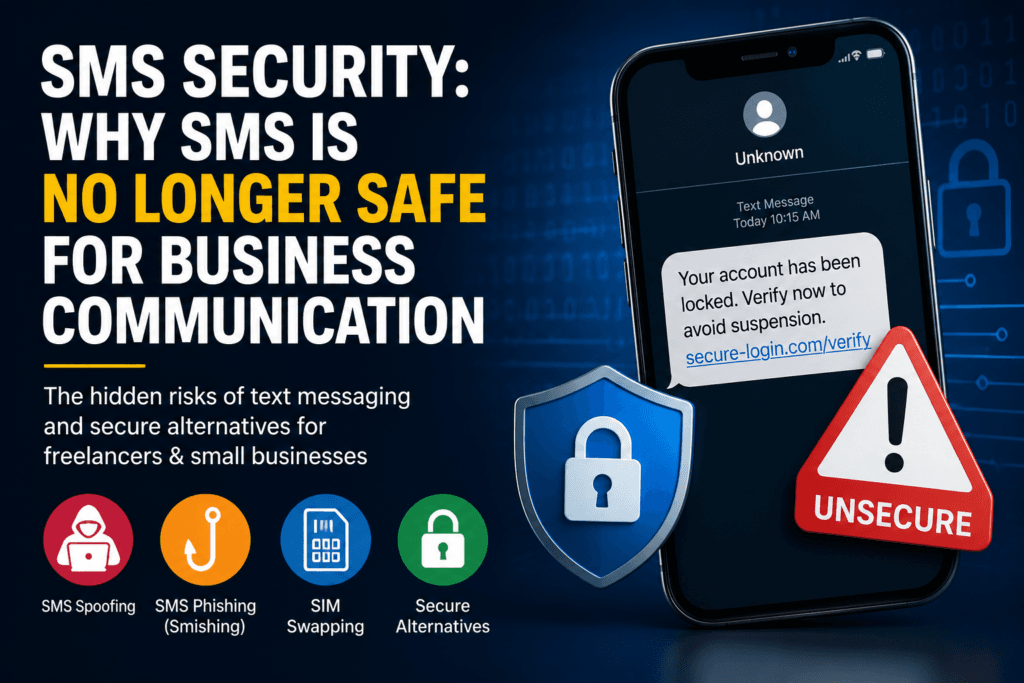
While spoofing disguises the sender, SMS phishing, commonly known as smishing, focuses on tricking users into revealing sensitive information or installing malware.
Smishing attacks have become increasingly common because mobile users often trust text messages more than emails.
A typical smishing message may claim:
- Your business bank account has been locked.
- A client payment is waiting for confirmation.
- A package requires an additional delivery fee.
- Your Microsoft 365 or Google Workspace account needs immediate verification.
- Your payroll account has suspicious activity.
Each message encourages the recipient to click a malicious link or provide confidential information.
For freelancers and small businesses without dedicated IT teams, these attacks can be especially damaging because a single successful click may expose client data, login credentials, or financial accounts.
Common SMS Security Risks Every Business Should Know
Understanding the biggest SMS security threats can help freelancers and small businesses avoid costly mistakes. While no communication method is completely risk-free, SMS presents several weaknesses that cybercriminals actively exploit.
1. SIM Swapping
SIM swapping occurs when an attacker convinces a mobile carrier to transfer your phone number to a new SIM card under their control. Once successful, they can receive your text messages, password reset links, and one-time verification codes.
This attack can lead to:
- Unauthorized access to business email accounts
- Stolen banking credentials
- Compromised cloud storage
- Identity theft
2. SMS Interception
Because SMS lacks end-to-end encryption, text messages may be vulnerable to interception under certain circumstances. This makes SMS unsuitable for sending confidential business information such as passwords, client contracts, or financial records.
3. Human Error
Sometimes the biggest security risk isn’t technology—it’s people. Sending sensitive information to the wrong contact or forwarding confidential client details through SMS can accidentally expose private information.
For businesses that regularly exchange sensitive data, secure communication practices are essential.
Better Alternatives to SMS for Business Communication
If your business regularly shares confidential information, replacing SMS with encrypted communication tools is one of the smartest cybersecurity decisions you can make.
Use Encrypted Messaging Apps
Applications like Signal provide end-to-end encryption, meaning only the sender and recipient can read the messages.
WhatsApp also offers end-to-end encryption, but businesses should review its privacy settings and ensure employees follow secure communication practices.
Use Secure File-Sharing Services
Instead of sending confidential documents through text messages, use secure file-sharing platforms that provide password protection, encryption, and expiration links.
Enable Multi-Factor Authentication (MFA)
Whenever possible, choose authentication apps instead of SMS verification codes. Authenticator apps reduce the risk of SIM-swapping attacks and offer stronger account protection.
Educate Employees
Many SMS attacks succeed because employees don’t recognize suspicious messages.
Regular cybersecurity awareness training helps staff identify:
- Fake sender IDs
- Suspicious links
- Urgent payment requests
- Social engineering attempts
SMS Security Best Practices for Freelancers and Small Businesses
Improving SMS security doesn’t require expensive software. A few simple habits can significantly reduce your risk.
- Never send passwords or confidential client information through SMS.
- Verify unexpected text messages before responding.
- Avoid clicking links from unknown senders.
- Use encrypted messaging apps for business conversations.
- Keep smartphones updated with the latest security patches.
- Enable multi-factor authentication using an authenticator app whenever possible.
- Create clear company policies for sharing sensitive information.
These practices help protect both your business and your clients from common mobile security threats.
Frequently Asked Questions
1.Is SMS secure enough for business communication?
No. SMS was not designed for securely sharing confidential business information. Since it lacks end-to-end encryption, businesses should use encrypted communication platforms whenever possible.
2.What is SMS spoofing?
SMS spoofing is a technique that allows attackers to change the sender ID of a text message so it appears to come from a trusted person or organization. This tactic is commonly used in fraud and phishing attacks.
3.What is SMS phishing?
SMS phishing, also called smishing, is a cyberattack where criminals send fraudulent text messages to trick victims into clicking malicious links or revealing sensitive information such as passwords or banking details.
4.What should businesses avoid sending through SMS?
Avoid sending:
•Passwords
•Client financial information
•Personal identification documents
•Confidential contracts
•Banking information
•Authentication codes
5.What is the safest alternative to SMS?
Encrypted messaging platforms that use end-to-end encryption are generally a much safer option for business communication than traditional SMS.
Conclusion
SMS security should be a priority for every freelancer and small business. Although text messaging remains convenient, it no longer provides the level of protection needed for today’s cyber threats. From SMS spoofing and SMS phishing to SIM-swapping attacks, criminals continue to exploit the weaknesses of traditional text messaging.
Protecting your business starts with choosing secure communication methods, educating employees, and avoiding the transmission of sensitive information through SMS. By replacing insecure texting with encrypted communication tools and following cybersecurity best practices, you can reduce the risk of data breaches while maintaining your clients’ trust.
For additional guidance on secure messaging and mobile security, review the recommendations from the Cybersecurity and Infrastructure Security Agency (CISA), which offers practical cybersecurity resources for businesses.
By making SMS security part of your overall cybersecurity strategy, you’ll be better prepared to safeguard confidential business communications in an increasingly connected world.SMS security is only one aspect of protecting your business. For a complete cybersecurity strategy covering passwords, phishing, Wi-Fi, secure communication, and client data protection, read our Cybersecurity Guide for Freelancers & Small Businesses.