
Secure messaging apps are more important than ever for freelancers and small businesses in 2026.Americans face growing threats from surveillance, AI tracking, and big tech data collection. Whether you’re texting clients, friends, or family, your conversations are at risk if you’re not using a secure messaging apps for freelancers in U.S with end-to-end encryption.If you’re building a secure workflow for your freelance business, choosing an encrypted messaging app is only one piece of the puzzle. If you’re building a secure workflow for your freelance business, our Freelancer and Small Business Cybersecurity Guide covers additional ways to protect client data, secure your devices, and reduce online risks.
In this guide, we compare Signal, WhatsApp, and Telegram — three of the most used apps in the U.S. — and assess their strength in encryption, metadata collection, U.S. data laws, and real-world privacy.
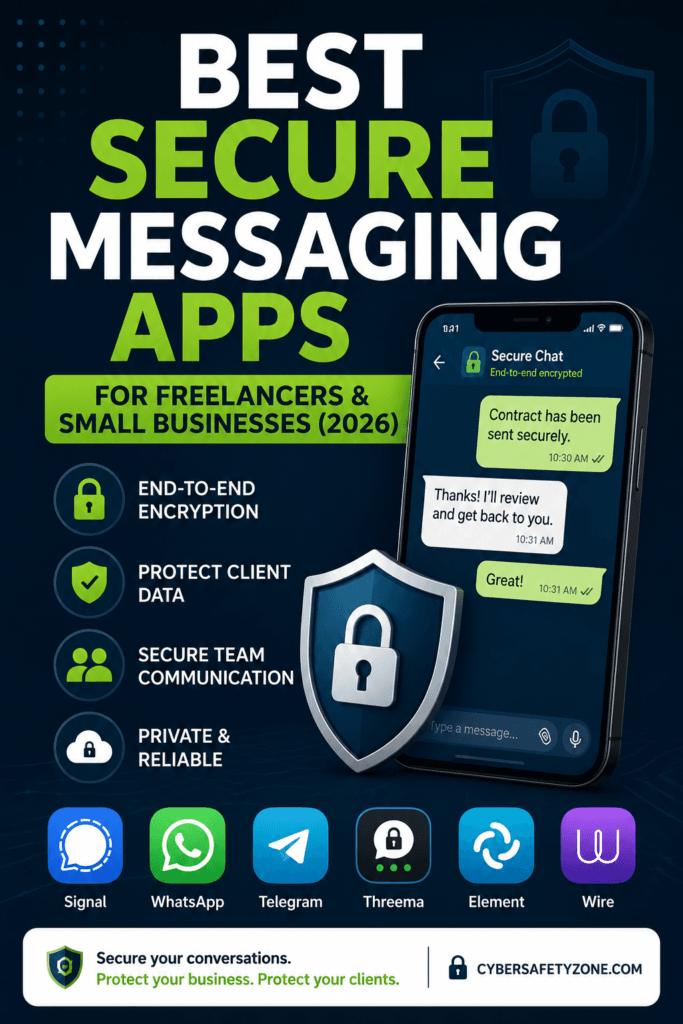
That’s why choosing one of the top secure messaging apps for freelancers and small businesses in U.S is essential for anyone serious about digital privacy.
Table of Contents
Want a quick visual version? Swipe this webstory

🛡️ Signal: The Gold Standard in Messaging Privacy
Best for: People who prioritize strong privacy and end-to-end encrypted communication.
✅ End-to-End Encryption: Default for texts, voice, video, and group chats
✅ Open Source: Trusted by security experts
✅ Anonymous Messaging: Use usernames instead of phone numbers
🚫 No Ads, No Data Mining: Signal runs as a nonprofit
🔐 Bonus Privacy Tip: Use Signal on a GrapheneOS phone for maximum privacy
Verdict: Signal is one of the strongest choices for privacy-focused messaging in 2026, particularly for freelancers and small businesses handling sensitive conversations.
🔐 Bonus Privacy Tip: Use Signal on a secure phone with a privacy-focused OS like GrapheneOS for maximum protection.
👉 Also read: Top 5 Free Privacy Tools for Freelancers
🔵 WhatsApp: Secure, But Owned by Meta
Best for: Users who want decent security and wide adoption — but are okay with some data collection.
- 🔒 Uses Signal Protocol: Chats are end-to-end encrypted by default.
- ❌ Metadata Logging: WhatsApp logs device info, contacts, and IP address — and shares it with Meta.
- 🤖 AI Integration in 2026: WhatsApp now includes Meta AI — helpful but could raise new privacy concerns.
🛡️ Stay Safe: A reputable VPN can help protect your network traffic and mask your IP address when using WhatsApp or other messaging services.
🎯 Verdict: Strong encryption, but Meta’s data collection makes WhatsApp less private than it appears.
💬 Telegram: Rich Features, Limited Encryption
Telegram offers useful features such as large groups, channels, bots, and file sharing. However, its regular cloud chats do not use end-to-end encryption by default, so it may not be the best choice for highly sensitive business conversations.
Best for: Power users who want features like public channels, bots, and file sharing — but not full privacy.
- Not Fully Encrypted by Default: Only Secret Chats use end-to-end encryption.
- AI & Public Channels: Great for large groups and public messaging.
- Secret Chat Encryption: Telegram Secret Chats use end-to-end encryption, while Telegram’s official documentation also describes Perfect Forward Secrecy for Secret Chats.
🔍 Protect Telegram Users: Consider using a mobile security suite like Bitdefender Mobile Security or Malwarebytes Premium (affiliate links) to safeguard your device.
🎯 Verdict: Best for usability and features — not for private conversations.
📊 2026 Security Comparison: Signal vs WhatsApp vs Telegram
This comparison highlights how the best secure messaging apps for freelancers and small businesses differ in their encryption, metadata collection, and legal exposure under U.S. privacy laws.
Security and privacy features can change over time. Always check the latest official documentation from each messaging provider before using an app for highly sensitive business communications.
| Feature | Signal | Telegram | |
| End-to-End Encryption by Default | Yes | Yes | No — only Secret Chats |
| Privacy / Metadata | Designed to minimize retained user data | Collects certain service and metadata information | Collects certain account and service information |
| Open Source | Open source | Not fully open source | Client apps are open source; server code is not |
| Phone Number | Required for registration; usernames can help hide it from contacts | Required | Required for registration; number can be hidden from other users |
| Multi-Device Support | Yes | Yes | Yes |
| Best For | Privacy-focused communication | Everyday messaging and broad adoption | Groups, channels, bots, and large communities |
Final Recommendations
| Use Case | Recommended App |
|---|---|
| Maximum privacy & no data sharing | ✅ Signal |
| Secure chatting with friends & family | |
| Public content, bots, and large group chats | ✅ Telegram |
Choosing from the best secure messaging apps for freelancers and small businesses depends on whether you value usability, strong encryption, or feature-rich communication.
Which Messaging App Is Best for U.S. Privacy Laws?
Among the best secure messaging apps for freelancers and small businesses in U.S,Signal stands out for its zero metadata policy and full open-source transparency.Privacy regulations in the United States remain weaker than in the EU or Canada, leaving American users more exposed to data collection. Apps like “Signal”, which collect no metadata and are open-source, offer greater protection for U.S. citizens. Meanwhile, WhatsApp — though encrypted — shares metadata with its parent company Meta (formerly Facebook), raising red flags for many American users.
🔐 Pro Tip: Messaging Apps Are Only Part of the Picture
Even the Best Secure messaging apps for freelancers and small businesses in U.S can’t protect your data if your phone is compromised. Here’s how to fully lock down your mobile privacy:
✅ 1. Use a Private VPN
- Proton VPN: A privacy-focused VPN that can help protect your network traffic and IP address.
- Surfshark: A VPN service that offers features such as multiple-device support and ad/tracker blocking.
✅ 2. Install a Mobile Security App
Bitdefender Mobile Security:
Provides mobile malware detection and security features for Android and iOS devices.
Malwarebytes Premium:
Provides mobile security features designed to detect and block malicious threats.
✅ 3. Consider a Privacy Phone:
GrapheneOS on a Pixel device is one of the most secure mobile setups in 2026.
Or use a de-Googled Android phone with no trackers or bloatware.
Practical Tips to Improve Messaging Privacy
- Enable encrypted backups on WhatsApp:
Go to Settings → Chats → Encrypted Backup and turn it on. - Use Secret Chats on Telegram:
Go to the user profile → More → Start Secret Chat for E2EE. - Use Signal’s username feature:
Go to Settings → Profile → Username → Set a username to avoid sharing your phone number. - Keep your messaging apps and operating system updated: Install security updates promptly to reduce the risk of known vulnerabilities.
- Install the latest secure versions to patch zero-day exploits.
Pair with a VPN:
For extra anonymity, combine your messaging app with a trusted VPN (e.g. Proton VPN, Surfshark).
✅ Frequently Asked Questions (FAQs)
Which messaging app is the most secure for U.S. freelancers and small businesses in 2026?
Signal is a strong choice for privacy-focused users because it provides end-to-end encryption by default and is designed around minimizing data collection.
Are secure messaging apps legal in the U.S?
Yes, all the apps mentioned — Signal, WhatsApp, and Telegram — are legal and widely used in the United States. However, privacy laws in the U.S. are weaker than in Europe, so extra tools like VPNs are recommended.
How do I send a secure text message?
The simplest way is to use a messaging service that provides end-to-end encryption by default, such as Signal. Before sending sensitive information, make sure you are communicating with the intended recipient and that your app and device are updated.
What is secure messaging?
Secure messaging refers to communication that uses security and privacy protections such as end-to-end encryption (E2EE) to help prevent unauthorized parties from reading messages while they are being transmitted. However, the level of privacy varies between messaging apps, so users should check how each service handles encryption, metadata, backups, and account information.
Can messaging apps be completely private?
No messaging service can guarantee complete privacy. Even when message content is protected with end-to-end encryption, other information such as account details, device information, contacts, or metadata may still be handled differently depending on the service.
💬 Ready to Take Control of Your Digital Privacy?
Whether you’re in New York, California, Texas, or anywhere across the U.S., protecting your chats from surveillance and data tracking is no longer optional. Pair your messaging app with tools like ProtonMail, Surfshark VPN, and Bitdefender Mobile Security*for full-spectrum protection in 2026.
Want real privacy? Start with Signal and secure your data today.
You may also like this:
How U.S. Freelancers and Small Businesses Can Spot AI-Generated Phishing Emails in 2026
Pingback: AI Scams in 2025: 7 Real Examples and How to Avoid Them
Pingback: Block AI Tracking Scripts in 2025: Protect Your Business Now
Awesome! Its genuinely remarkable post, I have got much clear idea regarding from this post
Thank you so much for your kind words — I’m really glad to hear the post was helpful and gave you a clearer understanding! Your support truly motivates me to keep creating valuable content 😊
Pingback: Signal for Business Communication: Why Signal Is the Most Secure Messaging App for Freelancers (2026)
Pingback: Can Someone Read My WhatsApp Messages? Security Guide (2026)
Pingback: Signal vs Telegram: Which Is Safer for Business Communication? (2026)
Pingback: %SMS Security: Why SMS Is No Longer Safe for Business Communication (2026)
Pingback: How to Prevent Zoom Bombing: Zoom Security Guide for Freelancers and Small Businesses (2026)